
TL;DR: Shipping automation for small businesses means letting software handle the repetitive parts of fulfillment—rate comparison, label printing, order import, tracking, and inventory sync. The highest-return tasks to automate first are multi-carrier rate comparison and label generation, because they leak the most money and time per order. This guide ranks what to automate in order, explains what to look for in shipping software, and covers US and Canada origin shipping. The goal is a setup that scales with your volume instead of one you outgrow in six months.
Shipping Automation at a Glance
- Shipping automation replaces manual data entry, tab-switching, and rate-checking with one connected workflow.
- The first task to automate is multi-carrier rate comparison—it carries the highest cost leakage per order.
- Label generation and printing is the second priority because it carries the highest time cost per order.
- A multi-carrier platform connects several carriers in one account: USPS, UPS®, FedEx, Canada Post, and Purolator.
- Some free multi-carrier platforms connect all five carriers with no monthly subscription.
- Multi-carrier platforms covering US and Canada-origin shipping run on both web and mobile.
Who this is for: This guide is written for small-business owners and operations leads who already ship daily and want a system that scales. It assumes you are doing too much by hand and want to know what to fix first.
Table of Contents
Shipping automation for small businesses is no longer reserved for large warehouses. Most growing sellers reach a point where manual shipping becomes the task that costs the most time for the least reward. Orders arrive across several channels, rates differ by carrier, and every label means more tab-switching.
The question is rarely whether to automate. It is about what to automate first and in what order. This guide answers that with a priority framework, then compares shipping automation tools. It covers US and Canadian sellers, including cross-border shipping.
What is shipping automation?

Shipping automation uses software to handle the repetitive parts of fulfillment automatically. It imports orders, compares carrier rates, prints labels, and updates tracking without manual entry. For a small business, that means fewer touches per order, fewer errors, and one workflow instead of many open tabs.
Automation does not remove your judgment. It removes the busywork around it, so your time goes to decisions that actually need a human.
What is multi-carrier shipping software?
Multi-carrier shipping software is a platform that connects several carriers in one account, so you can compare rates and print labels in one place. Instead of logging into each carrier site, you see USPS, UPS®, FedEx, and other rates side by side. For a small business, that single view is the foundation most shipping automation is built on.
How does shipping automation improve efficiency?
Shipping software improves efficiency by cutting the number of manual steps between an order and a printed label. It pulls order data for you, surfaces rates side by side, and applies your rules automatically. Reported time savings vary widely by order volume, carrier mix, and setup, so the gain is best measured against your own current process rather than a headline figure.
For retail logistics, the efficiency shows up as faster order processing and fewer reprints. The more orders you ship, the more those small savings compound.
The manual shipping tasks are costing you the most time

To reduce manual shipping tasks, start with the steps you repeat on every order. Copying addresses, checking rates on separate carrier sites, and printing labels one by one add up fast. These are also the tasks where small mistakes turn into refunds, delays, and support tickets.
Mapping your current process is the starting point. List every action between “order received” and “package handed to carrier.” The longest, most repeated steps are your automation candidates.
A simpler shipping process usually comes from reducing decisions, standardizing workflows, and automating those repeated steps. That is the lens for the priority order below.
Signs your small business has outgrown manual shipping

You have outgrown manual shipping when the process starts costing more than it saves. Common signs include checking rates on multiple carrier sites, copying addresses by hand, and reprinting labels after errors. If shipping ties your whole day to a desk, the workflow is the limit—not your effort.
These signs tend to appear as volume climbs. A process that worked at ten orders a day often breaks at fifty. Automation is how small teams ship like big companies without adding headcount.
It also shows up at the edges. Peak season becomes a scramble, delegation feels impossible, and a single sick day stalls fulfillment. A system handles those moments; a manual routine does not.
What to automate first: a priority order for small businesses
What should a small business automate first?
Automate multi-carrier rate comparison and label generation first. They leak the most money and time per order and need the least setup. Then layer order import, batch printing, tracking, and inventory sync as volume grows.

Automate in order of return, not in order of what feels urgent. Rank each task by two things: how much money or time it leaks per order and how hard it is to set up. The tasks below are ordered from highest return to lowest, so a small team can start at the top and stop when the gains taper off.
| Order | Task to automate | Why it ranks here | Setup effort |
|---|---|---|---|
| 1 | Multi-carrier rate comparison | Highest cost leakage per order | Low |
| 2 | Label generation and printing | Highest time cost per order | Low |
| 3 | Order import / store integration | Removes manual address entry | Low–medium |
| 4 | Batch / bulk label printing | Gains compound as volume grows | Medium |
| 5 | Tracking and customer notifications | Cuts “where is my order?” tickets | Low |
| 6 | Inventory sync across stores | Prevents overselling | Medium |
1. Multi-carrier rate comparison. Rates differ by carrier, weight, and zone on every shipment. Comparing them by hand is slow, so many sellers default to one carrier and quietly overpay. Automating this surfaces the lowest rate among your connected carriers for each order.
2. Label generation and printing. Typing label details by hand is the most repeated task in shipping. When you automate shipping labels, the software pulls the order data and formats the label for you. Thermal printing then removes ink costs and most reprints.
3. Order import and store integration. Connecting your store imports orders automatically. This removes manual address entry and the errors that come with it. Tracking also flows back to the buyer without extra steps.
4. Batch and bulk label printing. Printing labels one at a time does not scale. Batch printing handles many orders in a single pass. The time saved grows with every order you add.
5. Tracking and customer notifications. Automated tracking updates cut “Where is my order?” messages. Buyers get status without emailing you. Your support load drops as volume rises.
6. Inventory sync across stores. Selling on several channels risks overselling the same stock. Syncing inventory keeps counts accurate everywhere without duct-taping separate tools together. Bundled inventory tracking in USD or CAD ties stock to shipping in one place.
This is the point where shipping shifts from a daily scramble to a repeatable system. Here is how the right software supports that order.
What to look for in shipping automation software

When choosing a shipping automation platform, the right fit depends less on feature count and more on how the platform matches your volume, sales channels, and carriers. Look for multi-carrier support, store integrations, transparent pricing, and mobile access. A platform you outgrow in six months is not automation—it is a future migration project.
A few criteria matter more than the rest:
- Carrier range. More carriers in one account means more rate options on every order.
- Store integrations. Direct connections remove manual order entry and sync tracking back to buyers.
- Pricing model. A subscription adds a fixed monthly cost; a per-label model scales with your volume.
- Mobile access. Shipping from a phone frees you from a single desk and one location.
- Automation depth. Rules, batch printing, and rate logic matter more as volume grows.
Rollo Ship is a multi-carrier shipping platform built for sellers who want that range without a subscription. As a shipping platform rather than a single-carrier portal, Rollo Ship centralizes rate comparison, label printing, and tracking in one system. It connects five carriers in one free account: USPS, UPS®, FedEx, Canada Post, and Purolator.
Sellers comparing shipping software for a small business often weigh free tools against paid platforms. The table below compares software categories on capability—not quality—so you can match the category to your needs.
| Capability | Free-to-start multi-carrier platform (e.g., Rollo Ship) | Free single-carrier apps | Paid subscription platforms |
|---|---|---|---|
| Carriers in one account | 5 carriers | Usually 1–2 | Varies; often by tier |
| Monthly subscription | None | None | Yes |
| FedEx access | Yes, on the free plan | Typically no | Often a higher tier |
| US + Canada origin | Yes | Often US-only | Varies |
| Mobile apps (iOS + Android) | Yes | Varies | Varies |
| AI rate selection | Yes | Typically no | Varies |
One capability worth calling out: FedEx access on a free plan is uncommon in free shipping tools. That is one of the structural reasons sellers move to a free multi-carrier platform as they scale.
Rollo Ship is free to start with no monthly subscription; postage is paid directly to the carrier, and a small per-label service fee applies (first 200 labels free, then from 5¢, as low as 1¢ via Rollo Rewards). FedEx access is through your connected FedEx account.
Will your shipping setup scale as your team grows?
A shipping setup scales when it absorbs more volume and more people without a rebuild. Look for shipping automation tools that add carriers, channels, batch printing, and shared rules as you grow—not a tier you outgrow in six months. The aim is software that still fits at fifty orders a day and at five hundred.
This is the difference between a tool and a system. A tool handles today’s volume; a system handles next quarter’s. Rollo Ship is built as that system—five carriers, batch label printing, store integrations, and rule-based rate logic in one account—so a scaling team adds volume without switching platforms or adding a monthly bill.
Does it connect to your store?
Shipping software should sync with your sales channels so orders import automatically. This removes manual address entry and keeps tracking flowing back to the buyer. Rollo Ship offers 16+ live integrations, including Shopify, Amazon, eBay, WooCommerce, Wix, Squarespace, TikTok Shop, and Best Buy.
Direct integration matters because it eliminates the copy-paste step between your store and your labels. Fewer manual handoffs mean fewer mis-shipments and fewer refunds.
Multi-carrier rate comparison and AI rate selection
Comparing rates across carriers by hand is slow, so automation handles it for you. Rollo Ship’s AI-powered rate selection groups similar orders, applies the seller’s shipping rules, and recommends the cheapest service before the label is printed. This is a capability inside the platform, not a separate product.
Seeing USPS, UPS®, FedEx, Canada Post, and Purolator rates side by side helps you choose with full context. Rates also depend on dimensional weight, which you can check with a dimensional weight calculator before you ship. Rollo is not a carrier. Postage is always paid directly to the carrier.
Connect inventory to shipping—in USD or CAD

A scaling seller eventually needs stock counts tied to shipping, not duct-taped across separate tools. Rollo Ship includes free bundled inventory management across multiple stores, in USD or CAD, with no separate subscription. That keeps stock, orders, and labels in one system as volume grows. Many subscription platforms charge extra for inventory, so bundling it free is a structural difference worth weighing.
Make label printing the easiest part of your workflow
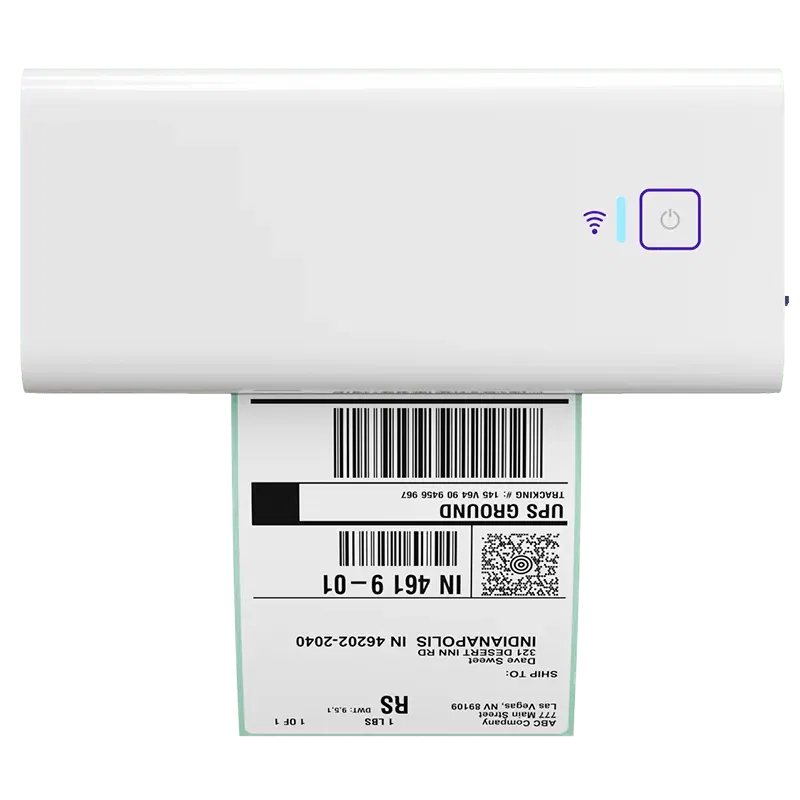
If your team is ready to spend less time on one-by-one labels, the Rollo Wireless Printer can help simplify one of the most repeated steps in shipping. It is a practical next step for small teams that want faster label printing, fewer interruptions, and a setup that feels easier to manage as order volume grows.
Shipping automation for Canadian and cross-border sellers

Canadian and cross-border sellers need automation that covers domestic carriers and US routes in one place. For a Canadian small business, Rollo Ship supports Canada Post and Purolator for domestic coverage. It also connects UPS® Canada and FedEx Canada through your own accounts.
This matters because many free shipping tools are US-origin only. A platform with Canadian carrier coverage and cross-border support removes the need to juggle separate portals.
A Canadian seller shipping to US buyers can compare domestic and cross-border rates in the same workflow. That single view is hard to replicate when domestic and US carriers live in different tools.
What happens without an automation system

Without an automation system, the cost is rarely one big expense. It is many small leaks: a few extra minutes per label, occasional overpaying on a carrier, and refunds from address errors. Across hundreds of orders a month, those leaks add up quietly.
The operational drag is just as real. Manual shipping ties your day to a desk, makes delegation harder, and turns peak season into a bottleneck. A system absorbs volume; a manual process breaks under it.
There is also an opportunity cost. Time spent rate-checking and reprinting is time not spent on products, marketing, or customers. Automation does not just save minutes—it moves your attention to work that grows the business.
How Rollo Ship automates your shipping workflow

Rollo Ship brings rate comparison, label printing, store sync, and tracking into one workflow. It is free to start with no monthly subscription. The first 200 labels are fee-free for new users. After that, a small per-label fee applies, starting from 5 cents per label. It can drop to as low as 1 cent at the VIP tier of Rollo Rewards.
Because it works on the web, iOS, and Android, you can ship from a desk or a phone. Rollo Ship holds a 4.8★ rating on Capterra and has 500,000+ total users across the US and Canada.
Try Rollo Ship free—five carriers and bundled inventory in one account, no monthly subscription, US and Canada. It is the structural upgrade for sellers who have outgrown manual shipping but do not want a monthly bill.
How to set up shipping automation step by step

Setting up shipping automation takes four steps for most small businesses: connect your sales channels, set your shipping rules, compare carrier rates, and then automate shipping labels and tracking. Each step removes a manual task you repeat today. You can start with one channel and expand once the workflow feels stable.
- Connect your store. Link your sales channels so orders import automatically. Rollo Ship offers 16+ live integrations across major platforms, so most sellers connect in minutes.
- Set your shipping rules. Define package sizes, preferred services, and rate logic once. The platform then applies those rules to every matching order automatically.
- Compare rates and select a service. Review carrier rates side by side for each shipment. Rollo Ship’s AI-powered rate selection groups similar orders and recommends a service before printing.
- Print labels and track. Print in batches and let tracking sync back to your buyers. Postage is paid directly to the carrier, and you pay only a small per-label fee.
Start with the top of the priority list. Automate rate comparison and label printing first, then layer in batch printing, tracking, and inventory sync as volume grows.
Who this is NOT for
This guide is not the best match for everyone. If you ship a handful of packages a month with one carrier and feel no pain, a single-carrier app may be enough for now. If you move freight, pallets, or LTL loads, you need freight-specific tooling rather than parcel automation. And if you are a high-volume enterprise with a dedicated logistics team and a custom ERP, your needs sit beyond a self-serve platform. For a small scaling business shipping parcels across channels, the priority framework above applies directly.
Ready for a shipping workflow that scales without adding more chaos?
If your team is spending too much time on rate checks, label creation, and order handoffs, Rollo Ship can help bring those steps into one place. It is a practical next step for small teams that want more clarity, fewer repeated tasks, and a shipping process that feels easier to manage as order volume grows.

Conclusion
Manual shipping does not scale, but a system does. Once rate comparison and label printing run themselves, shipping stops being the task that eats your day for the smallest reward. The priority order in this guide is how you get there one step at a time.
Rollo Ship is the multi-carrier shipping platform built to support that system—five carriers, store integrations, mobile apps, and AI-assisted rate selection in one place. It is rated 4.8★ on Capterra and is trusted by 500,000+ sellers across the US and Canada.
Start free today—connect your store and automate your highest-return shipping tasks first.
Follow Rollo on:
Frequently Asked Questions About Shipping Automation for Small Businesses
📌 Q: What should small businesses automate first in shipping?
💭 A: Automate multi-carrier rate comparison and label generation first. These two tasks leak the most money and time on every single order, and they need the least setup. Order import, batch printing, tracking notifications, and inventory sync come next once daily volume makes manual steps the bottleneck. Working top-down by return-per-task keeps a small team focused on the highest-impact changes.
📌 Q: What is the best shipping software for a small business?
💭 A: There is no single best fit—the right shipping software depends on your order volume, sales channels, and carrier mix. Free single-carrier apps suit very low volume, paid platforms suit teams that want a subscription, and free multi-carrier platforms suit sellers who want carrier range without a monthly bill. Rollo Ship fits the last group: five carriers in one free account, mobile apps, and store integrations. Match the category to your workflow rather than to a label.
📌 Q: Can shipping automation reduce costs and delivery times?
💭 A: Shipping automation can reduce costs by surfacing carrier rates side by side and applying your rules automatically so you stop overpaying out of habit. It can support faster handoffs by removing manual data entry and reprints between an order and a printed label. Actual savings depend on your volume, carrier mix, and destinations, so results vary by business.
📌 Q: Can shipping software integrate with e-commerce platforms?
💭 A: Yes. Most shipping software connects directly to e-commerce platforms so orders import automatically and tracking syncs back to buyers. Rollo Ship offers 16+ live integrations, including Shopify, Amazon, eBay, WooCommerce, Wix, Squarespace, TikTok Shop, and Best Buy. Direct integration removes the copy-paste step between your store and your labels, which cuts manual errors and speeds up fulfillment as order volume grows.
📌 Q: Can I automate inventory and shipping together?
💭 A: Yes. A multi-carrier platform can tie stock counts to your shipping workflow, so you stop managing inventory in one tool and labels in another. Rollo Ship includes free bundled inventory across multiple stores, in USD or CAD, with no separate subscription. That keeps stock accurate, prevents overselling, and connects orders to labels in one system as you scale.
📌 Q: How do I pay for shipping after a label is created?
💭 A: Postage is paid directly to the carrier—a shipping platform is not a carrier and does not sell you the postage itself. With Rollo Ship, you fund postage through your account, and the platform applies a small per-label service fee. The first 200 labels are fee-free for new users; after that the fee starts at 5 cents and can drop to as low as 1 cent through Rollo Rewards.
📌 Q: Can small businesses automate shipping cost-effectively?
💭 A: Yes. Free multi-carrier platforms let small businesses automate rate comparison, label printing, and tracking without a monthly subscription. Rollo Ship is free to start, with the first 200 labels fee-free and a small per-label fee after that. Because it connects five carriers in one account, a small team gets multi-carrier automation usually associated with paid platforms at no recurring cost.
📌 Q: What shipping automation works for Canadian and cross-border sellers?
💭 A: Canadian sellers need automation that covers domestic carriers and US routes together. Rollo Ship supports Canada Post and Purolator for domestic Canadian shipping—including Canada Post shipping labels and rate comparison—plus UPS® Canada and FedEx Canada through connected accounts. For a Canadian small business shipping cross-border, you can compare Canada Post shipping costs against US-bound options and ship between the US and Canada from one platform, instead of switching between separate US-only and Canada-only portals.
📌 Q: What is the difference between a shipping platform and a carrier?
💭 A: A carrier physically moves your package — USPS, UPS®, FedEx, Canada Post, and Purolator are carriers. A shipping platform is software that connects to those carriers so you can compare rates, print labels, and track shipments in one place. Rollo is not a carrier; postage is always paid directly to the carrier. The platform adds a small per-label service fee for handling the workflow.
📌 Q: Do I need shipping automation if I only use one carrier?
💭 A: Not always. If you ship low volume with one carrier and feel no friction, a single-carrier app may be enough for now. Automation earns its place once you compare carriers, ship across several channels, or print many labels a day. A multi-carrier platform also gives you room to grow without switching tools later, which avoids a disruptive migration.
📌 Q: Am I overcomplicating my shipping setup?
💭 A: Possibly, if you are automating everything at once. Start with the two tasks that return value immediately: multi-carrier rate comparison and label printing. Add order import, batch printing, tracking, and inventory sync only as volume makes them worthwhile. A setup that grows in that order stays simple while still scaling with your small business.
📌 Q: When should I move off marketplace or platform shipping to dedicated software?
💭 A: Consider it when you ship across more than one channel, want more carrier options, or hit limits on rates and labels. This is less about switching and more about outgrowing a setup you have moved past. A multi-carrier platform like Rollo Ship connects five carriers—USPS, UPS®, FedEx, Canada Post, and Purolator—in one free account, giving you room to grow.


