
TL;DR: Learning how to ship a laptop comes down to three variables: box size, declared value, and service level. The device itself rarely drives the price. Most laptop shipments bill on dimensions rather than actual weight, so padding decisions change the invoice. A laptop with its battery installed is a regulated dangerous good, though a single machine usually needs no hazard label. The rules tighten sharply once a shipment crosses a border or carries a spare battery.
Laptop Shipping at a Glance
- A packed laptop usually bills on dimensional weight, not the weight on the scale.
- A laptop with its battery fitted inside ships as UN3481, lithium-ion batteries contained in equipment—a Class 9 dangerous good per PHMSA and Transport Canada.
- Packages holding no more than four cells or two batteries installed in equipment are exempt from the lithium battery mark under PHMSA guidance and Transport Canada Special Provision 34.
- Pre-owned devices containing lithium batteries cannot be mailed internationally, including to APO, FPO, and DPO addresses, per USPS mailability guidance.
- Canada Post does not accept lithium batteries to any destination outside Canada and the US.
- Declared value is set at label purchase. It is not the same as the coverage included by default.
Table of Contents
Figuring out how to ship a laptop looks simple until the first invoice arrives. The rate quoted at checkout and the rate billed afterward are often different numbers. That gap catches sellers, IT operations teams, and B2B distributors alike.
This guide is written for people who ship devices more than once. Marketplace sellers moving refurbished machines. Technology and SaaS companies sending replacement hardware to remote staff. Distributors shipping peripherals alongside laptops.
It covers what drives the cost, how to pack for both protection and price, what the battery rules actually say, and what shifts at the US–Canada border. Every regulatory claim links to the agency or carrier that publishes it.
How much does it cost to ship a laptop?

Published floors are not what a laptop costs, because a padded box bills on dimensions rather than the weight on the scale. USPS Ground Advantage starts at $7.90 and Priority Mail Express at $35.65 before dimensional pricing applies. Four inputs set the final number: billable weight, distance zone, declared value, and service level.
| Service | Published starting price | When it applies to a laptop |
|---|---|---|
| USPS Ground Advantage | from $7.90 | Under 1,728 in³—bills on actual weight |
| USPS Priority Mail | from $11.00 | Zone- and weight-based |
| USPS Priority Mail Express | from $35.65 | Deadline shipments only |
| Canada Post Regular Parcel | estimator only | Density factor 166, no included coverage |
| FedEx / UPS® / Purolator | account rates | Dimensional from the first pound |
These are retail floors at the lowest weight and nearest zone. A double-boxed laptop bills on volume, so the invoice lands above them.
The single biggest driver is billable weight. Carriers charge on the greater of actual weight and dimensional weight. A laptop weighs little.
A properly padded laptop box does not measure little. That gap is where the money goes.
Carriers convert box dimensions into billable weight and then charge on whichever figure is higher. The methods are not the same across carriers. They are not even the same across services within one carrier.
FedEx divides cubic inches by 139 to get a figure in pounds. Canada Post applies a density factor of 139 to Priority, Xpresspost, Expedited, and all US and international services. A regular parcel gets 166 instead.
Purolator works from a cube factor rather than a divisor: 15 lb per cubic foot on express shipments moving through its air network and 12.4 lb per cubic foot on ground. USPS applies dimensional pricing only above one cubic foot, or 1,728 cubic inches, on Zones 1 through 9.
That last threshold is the one worth remembering. Stay under it and USPS bills on the scale.
The same box, five ways

Pack a laptop the way the carriers recommend, and the box gets large. FedEx specifies an outer carton six inches larger in each dimension, with three inches of cushioning on all six sides. UPS® publishes the same six-inch figure.
Start with a 16 × 12 × 3 inner box. The outer box becomes 22 × 18 × 9. That is 3,564 cubic inches.
| Method | Billable weight |
|---|---|
| FedEx, or Canada Post at density factor 139 | 25.6 lb |
| Canada Post Regular Parcel, density factor 166 | 21.5 lb |
| Purolator Express via air, 15 lb per cubic foot | 30.9 lb |
| Purolator Ground, 12.4 lb per cubic foot | 25.6 lb |
| USPS, box exceeds 1,728 in³ | dimensional pricing applies |
Then the thresholds stack. That box clears the USPS one-cubic-foot dimensional trigger. It also passes two cubic feet, which adds to the USPS cubic fee.
Its 22-inch length triggers the length fee too. So the recommended packing bills on volume. It then picks up two nonstandard fees.
Both carriers sell purpose-built laptop boxes that sidestep the problem. That is the trade to weigh.
The laptop cost stack
| Cost component | What triggers it | Controllable? |
|---|---|---|
| Billable weight | Box dimensions versus actual weight | Yes—box spec |
| Zone | Origin-to-destination distance | No |
| Declared value | Coverage above the included amount | Yes, set at purchase |
| Service level | Transit-time commitment | Yes |
| Residential delivery | Destination address type | Partly |
| Signature | Required or optional | Yes |
| Customs and duty | Declared value plus classification | Partly cross-border only |
Which laptop shipping costs are avoidable, and which aren’t?

Zone and fuel are structural. They are priced by the carrier and cannot be packed around. Box dimensions, service level, declared value, and signature are discretionary. Most overspending on laptop shipments comes from treating a discretionary cost as though it were fixed.
Start with the box. An oversized carton is the most common avoidable cost in device shipping. The worked example above moves the billable figure by more than eight pounds on four inches per side.
The fix is a fixed spec. Pick one outer box for one device size and use it every time. Predictable dimensions produce predictable invoices.
Service level is the second. Ground service covers most domestic laptop shipments without incident. Expedited air is worth paying for when a deadline exists. It is not worth paying for by default.
Declared value is the third, and it cuts both ways. Under-declaring a machine leaves a real gap if it arrives damaged. Over-declaring pays for coverage nobody claims.
Set it deliberately at the device’s replacement value. Not its retail price. Not a round number chosen for comfort.
Residential delivery is partly controllable. USPS publishes a Residential Delivery Indicator product precisely because carriers price home delivery differently. Where a business address is available, it changes the rate.
How should you package a laptop for shipping?

The accepted method is double-boxing. FedEx specifies an outer carton six inches larger in each dimension. Three inches of cushioning goes on all six sides. UPS® publishes the same six-inch figure. Corners and the lid take the worst of transit damage.
Start with the device. UPS® says to power it down fully and leave the battery installed. Do not try to remove it.
Tape a small patch of cardboard over the power button. That stops it waking in transit.
Slide a thin layer of bubble wrap or foam between the keyboard and screen. Both carriers recommend it. Pressure on a closed lid goes straight to the panel.

Put the machine in a snug plastic bag against static. UPS® warns that polystyrene loose fill generates static that can damage electronics and calls for anti-static foam with bubble sheeting instead. Wrap cables separately.
FedEx calls for at least three inches of cushioning between the inner and outer box on every side, including top and bottom. Fill the void completely. Loose fill that lets the box settle is the common failure.
Shake the box gently before sealing. If anything slides, add more. It is the fastest check there is.
On reusing the retail box: FedEx notes that original packaging is designed to ship a product once, not repeatedly. UPS® adds that most manufacturer boxes are built for palletized transport. Both recommend overboxing rather than shipping it alone.
If you reuse an older box, inspect it first. No punctures, no tears, no crushed corners. Remove or cover every old label and barcode.
Seal with pressure-sensitive plastic tape at least two inches wide in an H-pattern. FedEx names cellophane, duct tape, masking tape, string, and rope as unacceptable. Household tape does not hold.
Worth knowing: the regulations set a lower bar than the packing advice does. Both PHMSA and FedEx state that rigid outer packaging is not required when the device itself protects the battery. That is a compliance floor. A cracked screen is not a regulatory problem.
The method is not laptop-specific. Learning how to ship electronics safely comes down to three things: immobilise the device, protect the corners, and keep the box no larger than it needs to be. Monitors and desktops follow the same logic at a bigger scale.
How do you ship electronics safely, not just laptops?
The method generalises. Learning how to ship electronics safely comes
down to three things: immobilise the device, protect the corners and
edges, and keep the outer box no larger than the cushioning requires.
What changes between devices is the size of the box, not the sequence.**
Monitors and all-in-one machines carry the same screen risk as a laptop
lid. Face them inward, away from the box wall. Corners still take the
worst of it.
Desktop towers are heavier but less fragile. The risk shifts from the
screen to internal components shifting loose. Immobilise the tower inside
the inner box rather than padding it lightly.
One thing scales badly. A desktop or monitor box grows past the thresholds
in the cost section quickly, so the billable weight penalty arrives sooner.
Here is the tension worth naming. More cushioning means a bigger box, and the worked example above shows where that lands. Purpose-built laptop boxes exist for exactly this reason.
Can you ship a laptop with the battery inside?

Yes. A laptop with its battery fitted inside ships as UN3481, “lithium ion batteries contained in equipment,” a Class 9 dangerous good under both US and Canadian rules. Because the battery is embedded in the device rather than loose, the requirements are lighter. A single laptop generally needs no hazard label at all.
The classification turns on one question: Is the battery in the device or not?
PHMSA’s Lithium Battery Guide for Shippers (revised October 2024) sets out the split. A loose lithium ion battery traveling on its own is UN3480. A battery installed inside the equipment it powers is UN3481. Transport Canada’s bulletin on transporting batteries uses the same numbers and names laptop computers directly as an example of “contained in equipment.”
There is a third case that catches people out. A spare battery in the box alongside the laptop is “packed with equipment,” not “contained in.” It is still UN3481, but it is treated differently.

The exemption that covers most laptop shipments
A package holding no more than four lithium cells or two lithium batteries installed in equipment does not require the lithium battery mark. This appears in PHMSA’s guidance for smaller cells and batteries, in Transport Canada’s Special Provision 34, in FedEx’s ground battery marking requirements, and in Canada Post’s battery acceptance table.
One laptop is one battery. So a single machine, shipped domestically, needs no hazard marking.
Add a second laptop and you are still inside the exemption. Add a third, and you are not.
Watt-hours decide which rules apply
PHMSA sets the “smaller battery” threshold for lithium-ion at 100 watt-hours per battery and 20 watt-hours per cell. Above that, the shipment moves into fully regulated territory with heavier requirements.
Since 10 May 2024, PHMSA has required the watt-hour rating to be marked on the outside case of every lithium ion battery, regardless of size. If the rating is missing, Transport Canada publishes the calculation: watt-hours equal nominal voltage multiplied by capacity in ampere-hours.
Check the number rather than assuming it. It takes a moment, and it determines everything downstream.
Power it off, not to sleep
Every source agrees on this one. PHMSA requires equipment to be protected from accidental activation. Transport Canada requires batteries installed in equipment to be placed so activation cannot happen by accident. FedEx is the most concrete, describing measures such as disconnecting the battery or taping over a switch.

Sleep mode is not off. A machine that wakes in a trailer is the exact scenario the rule exists to prevent.
What each carrier publishes
Acceptance rules are set by each carrier, and they are not identical. These are the published positions, not a ranking.
| Configuration | USPS domestic | USPS international & APO/FPO/DPO | Canada Post domestic | Canada Post to US |
|---|---|---|---|---|
| Battery installed in equipment, ≤2 batteries | Mailable, surface and air | Mailable if new | Accepted, air and surface | Accepted |
| Battery installed, more than 2 batteries | Mailable | Mailable if new | Surface only | Not accepted |
| Spare battery packed alongside | Mailable | Prohibited | Surface only | Not accepted |
| Loose battery, no device | Surface only | Prohibited | Surface only | Not accepted |
| Damaged, defective or recalled | Prohibited | Prohibited | Not accepted | Not accepted |
Compiled from USPS lithium battery mailability guidance (updated May 2026) and Canada Post’s ABCs of Mailing entry on batteries (updated November 2025).
Two entries deserve attention.
USPS prohibits all pre-owned electronic devices containing lithium batteries from international mail and from APO, FPO, and DPO addresses. A refurbished laptop is a pre-owned device. This one catches resellers regularly.
Canada Post does not accept lithium batteries to any destination outside Canada and the US. Not restricted. Not accepted.
Purolator’s dangerous goods guidance notes that different rules apply by ground and by air and asks shippers to insulate terminals and prevent shifting. UPS® directs shippers to the PHMSA and IATA publications and runs a hazardous materials support line.
Damaged, defective and recalled devices are a hard stop
This is the one place where the rules stop being about paperwork.
PHMSA forbids damaged, defective, or recalled lithium batteries from air transport entirely. Transport Canada applies the same ban and states plainly that it holds whether or not the battery is contained in equipment. UPS® restricts these shipments to ground service in the lower 48 contiguous states, with several excluded destinations. USPS prohibits them domestically and internationally without specific approval.
FedEx states it will not accept recalled or defective lithium batteries contained in electronic equipment, naming a laptop as the example. Waste batteries and batteries sent for recycling are refused too.
A laptop with a swollen or recalled battery is not a shipping problem to solve. It is a shipment not to send.
Which carrier options should you compare for a laptop?

No single carrier is right for every laptop shipment. The useful comparison is across six attributes: service level and transit commitment, declared value ceiling, signature options, battery acceptance rules, residential delivery treatment, and cross-border capability. The right answer changes by lane, by destination, and by the value of the device.
Rate alone is a poor basis for the decision. Two carriers can quote within a small margin of each other and differ sharply on what happens when something goes wrong.
Declared value ceiling. Ceilings differ, and so does what is included before you pay anything.
| Carrier and service | Coverage included | Additional coverage |
|---|---|---|
| USPS Priority Mail and Priority Mail Express | USD 100 | in increments to USD 5,000 |
| Canada Post Priority, Xpresspost, Expedited Parcel | CAD 100 | to CAD 5,000 for a fee |
| Canada Post Regular Parcel | none | first CAD 100 must be bought |
| Purolator | no surcharge to CAD 100 | 4.75% of declared value above CAD 100 |
Sources: USPS insurance pricing, Canada Post insurance coverage by service, and the Purolator rate guide.
Read the Regular Parcel row twice. It carries the most generous dimensional factor at 166, and it includes no liability coverage at all. The cheapest line on the rate screen is not always the cheapest outcome.
Signature options. Some carriers offer tiers of signature service. Others offer one. For a device worth several hundred dollars, unattended delivery is a real exposure.
Battery acceptance. As the table above shows, published acceptance rules differ by carrier and by configuration. These are the rules that govern the shipment.
Residential treatment. Home and business addresses are classified differently, which is why USPS maintains a Residential Delivery Indicator file for rate shopping. For direct-to-consumer device shipments, this is a recurring line item.
Cross-border capability. Not every service supports the same customs handling. This matters more than rates on US–Canada lanes.
The practical approach is to compare all of it on the same screen before buying the label. Checking one carrier’s rate in isolation tells you what that carrier charges. It does not tell you what the shipment should cost.
How do you ship a laptop from the US to Canada?

Cross-border laptop shipments add three layers to the domestic cost stack: customs documentation, duty and tax exposure, and a battery declaration. The commercial invoice drives the first two. An accurate description, value, and country of origin prevents most border delays.
This lane comes up constantly for technology and SaaS companies with distributed teams. A developer in Toronto needs a replacement machine. A contractor in Vancouver is starting Monday. The device sits in a US office.
The documentation is the work. A commercial invoice accompanies the shipment, listing what the item is, what it is worth, and where it was made. Vague descriptions cause holds. “Electronics” is vague. “Laptop computer, used, single unit” is not.
Value declaration is where people get it wrong in both directions. Understating value to reduce duty creates a compliance problem and caps any damage claim. Overstating it raises the duty assessment for no benefit.
Duty. Whether it applies depends on the goods and where they were made. CBSA sets rates through the Canadian Customs Tariff, which follows the international Harmonized System. A duty and taxes estimator is published too.
Tax is separate and harder to avoid. CBSA charges 5% GST on goods imported by mail unless specifically exempted. Participating provinces apply HST at 13% instead. Others add PST on top of GST.
The relief thresholds are small. Goods worth CAD 20 or less arrive free of duty and tax. Above that, the charge applies to the full value, not just the excess.
The gift exemption will not help. A CAD 60 exemption exists for items sent personally by a friend or relative. CBSA excludes items sent by a business.
So a company shipping a device to a contractor declares full value. Duty and tax apply to all of it. Build that into the quote.
Declare the battery. Transport Canada requires lithium batteries to be declared to postal carriers, couriers, and transport companies as part of the contents, including when contained in equipment. Canada Post requires a completed customs declaration for parcels destined to the US. This is a documentation step, not an obstacle.
Two configuration traps on this lane. A spare battery tucked in beside the laptop moves the shipment out of the simple case, and Canada Post does not accept that configuration to the US at all. Sending more than two devices in one package does the same thing.
What changes when you ship a laptop from Canada to the US?
Two things change. Canada Post does not accept lithium batteries beyond Canada and the US. A laptop can travel domestically or southbound, but no further. A single device with its battery installed is accepted to the US. Customs treatment on that lane differs from the northbound rules above.
The configuration rule tightens here. Canada Post accepts a device with up to two batteries installed to the US. More than that is not accepted.
A spare battery packed alongside is not accepted to the US either. Nor is a battery on its own. The simple case is one device, battery inside.
Purolator publishes express and ground services on this lane. FedEx and UPS® move it through connected accounts. Rules differ by carrier.
Returns run on this same lane. A device coming back at the end of a contract meets the same rules as one going out. Plan it with the outbound shipment.
US customs treatment is outside the scope of this guide. Those rules changed in 2025. Confirm current handling with the carrier before quoting a southbound cost.
Canadian-origin shipments are their own case. Domestic Canadian delivery is served by Canada Post and Purolator, each with its own network and service structure. Details on Canadian coverage sit on the Rollo Canada page, and service specifics for Canada Post are covered separately.
What does a repeatable laptop shipping setup look like?

Once laptop shipments become routine rather than occasional, the question shifts from “what does this one cost” to “what should all of them cost?”
A repeatable setup fixes five things: a standard box spec per device size, a declared value rule, a default service level, a battery configuration standard, and rate comparison across carriers before every label. Fixing these turns device shipping from a series of individual decisions into a process with predictable output.
The pattern matters more than the tool. A fixed box spec makes billable weight predictable. A declared value rule removes the per-shipment judgment call. Standardizing on batteries-installed-only keeps shipments inside the simple acceptance lane. Comparing carriers before purchase surfaces the actual price rather than the familiar one.
Device shipping is rarely just devices. The same teams send docks, headsets, branded items, and returns on a recurring basis, and the box spec that works for a laptop will not fit them all. Set a spec per parcel profile rather than per shipment, and keep stock and shipping in one place so the profiles stay attached to the items.
That last step is where most setups break down. Checking several carriers manually takes time that a busy operation does not have, so one carrier becomes the habit.
This is the structural problem multi-carrier shipping addresses. Rollo Ship is a multi-carrier shipping platform that puts USPS, UPS®, FedEx, Canada Post, and Purolator in one account. Rates appear side by side before the label is bought.
Rollo is not a carrier. Postage is paid directly to the carrier; Rollo’s per-label fee is separate.
For a device shipment, the useful part is seeing the full picture before committing. Dimensional weight is calculated against the box you entered. Declared value is set at purchase. Signature and service level sit on the same screen as the rate.

| What a repeatable device-shipping setup needs | Single-carrier workflow | Multi-carrier platform |
|---|---|---|
| Dimensional weight compared across carriers | One method, one result | Five methods, side by side |
| Declared value ceiling visible before purchase | Per-carrier lookup | On the rate screen |
| Battery acceptance differs by carrier | Checked manually | Carrier rules surfaced at selection |
| US and Canada origin in one account | Separate setup per country | One account, both origins |
| Cost per label at volume | Fixed | 5¢ dropping to 1¢ via Rollo Rewards |
Rollo Ship’s AI-powered rate selection groups similar orders, applies the seller’s shipping rules, and recommends the cheapest qualifying service before the label is printed. For a team sending twenty replacement machines a month, that turns rate comparison from a per-shipment task into a rule that runs once. More on how rate selection and shipping automation work together.
Rollo Ship is free to start with no monthly subscription. The first 200 labels are fee-free. After that the per-label fee starts at 5¢ and drops to as low as 1¢ through Rollo Rewards.
FedEx access is included on the free plan through a connected account. For device shippers who want that option alongside USPS and UPS®, it removes a common reason for keeping a second tool.
Rollo Ship holds a 4.8★ rating on Capterra. More than 500,000 sellers across the US and Canada ship on Rollo.
For teams shipping in both directions across the border, US and Canadian carriers sit in the same account. There is no separate setup for the Canadian leg.
One boundary worth stating plainly. Rollo Ship handles labels, rates, and carrier comparison. It does not assemble kits, warehouse goods on your behalf, provision devices, or track assets after delivery. Stock levels sync inside the platform; physical fulfillment does not. It also does not classify dangerous goods on your behalf — battery compliance stays with the shipper.
What happens without a system like this?

Laptop shipping leaks money quietly. No single shipment looks wrong, which is exactly why the pattern goes unnoticed.
The box spec drifts first. Someone uses whatever carton is on the shelf, and billable weight moves shipment to shipment. The invoice varies without an obvious reason.
The declared value gets set by whoever is at the desk. Sometimes it is right. Sometimes a machine travels uncovered, and that only becomes visible after a screen arrives cracked.
Battery configuration drifts too. A spare charger and battery get tossed in to be helpful, and a shipment that would have moved cleanly now sits in a different acceptance category.
Carrier choice calcifies into habit. One account is open, so one carrier gets the volume, and the comparison that would have shown a better fit never happens.
None of these produce a crisis. Together they produce a shipping cost nobody can explain. One damaged screen absorbs a quarter of careful savings elsewhere.
Make Cross–
Border
Shipping
Easier
to Repeat
Sending replacement machines to remote staff on both sides of the border? Compare USPS, UPS®, FedEx, Canada Post, and Purolator rates for the same box before you buy the label.

Who this guide is not for

People moving house. Transporting a computer in a car is a different problem with different answers. Nothing here about carriers or declared value applies.
Anyone shipping loose lithium batteries. Spare cells shipped on their own are UN3480, a separate classification with heavier requirements than a battery installed in a device. That is its own topic and deserves its own research.
Anyone shipping a damaged or recalled device. Damaged, defective, and recalled lithium batteries are forbidden from air transport by both PHMSA and Transport Canada, and ground acceptance is narrow. Contact the carrier’s dangerous goods team before packing anything.
Freight-scale shippers. Moving laptops by the pallet is freight, not parcel. The economics, documentation, and carriers are different throughout.
Teams needing device management. If the requirement is imaging, provisioning, mobile device management, or asset tracking after delivery, that is a different category of software. This guide covers getting the device from one address to another.
Shipping laptops more than occasionally?
The difference between an expensive laptop shipment and a reasonable one is rarely the carrier. It is whether the box spec, declared value, and battery configuration were decided before the label was bought.
Rollo Ship gives device shippers that comparison in one place, across USPS, UPS®, FedEx, Canada Post, and Purolator, in both the US and Canada. Free to start, no monthly subscription, with the first 200 labels fee-free.
Create a free Rollo Ship account and compare rates on your next device shipment before you commit to a label.
Print the Label Without
Slowing Down the Workflow
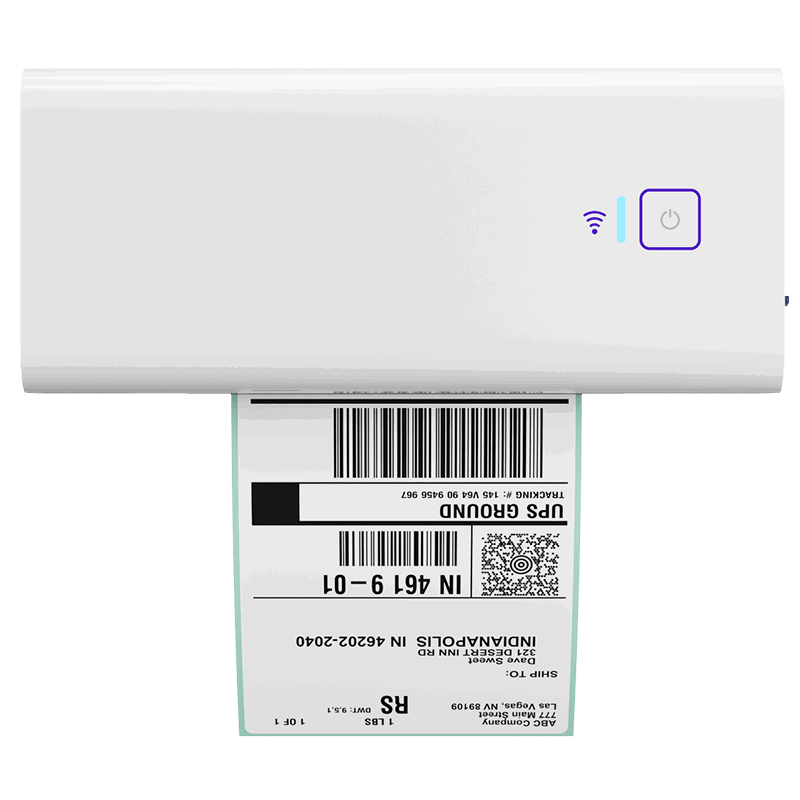
Once you know which shipping path makes the most sense, the next step should feel simple. Rollo’s Wireless Printer helps you print crisp 4×6 labels quickly, so your packing station keeps moving without adding extra friction to the order.
Follow Rollo on:
Frequently Asked Questions About Laptop Shipping
📌 Q: How can I reduce shipping costs on devices I send regularly?
💭 A: Standardize before you optimize. A fixed box spec per device size
makes billable weight predictable, which is where most of the variance
sits. Set one declared value rule rather than deciding per shipment. Keep
batteries installed and skip spares, so every parcel stays in the simplest
acceptance category. Then compare carriers on the same shipment before
each label.
📌 Q: How can I reduce the cost of shipping a laptop?
💭 A: Start with the box. The fastest way to reduce shipping costs on devices is a fixed box spec, because most laptop shipments bill on dimensional weight. An oversized carton costs more without adding protection. Then set declared value at replacement value rather than a round number, choose ground service unless a deadline requires otherwise, and compare carriers before buying the label.
📌 Q: How much does it typically cost to ship a computer or laptop?
💭 A: There is no single figure, and published starting prices will not be what you pay. USPS lists Ground Advantage from $7.90, Priority Mail from $11.00 by weight and zone, and Priority Mail Express from $35.65. Those are retail floors at the lowest weight and nearest zone. A padded laptop box bills on dimensions, so it lands well above them. Canada Post publishes delivery standards for Regular Parcel rather than starting prices and points to an estimator. Use each carrier’s calculator with your actual box dimensions.
📌 Q: What is the cheapest way to ship a laptop?
💭 A: There is no single answer. The cheapest option changes with box size, destination zone, and delivery speed. Ground services cost less than air on the same lane. A smaller box lowers billable weight, which often saves more than switching carrier does. Compare the same shipment across carriers before buying the label, and check what coverage each rate already includes.
📌 Q: Can I send a laptop by Media Mail to save money?
💭 A: No. USPS excludes computer drives and digital drives from Media Mail pricing, which covers books, printed music, and recorded media. A laptop sent at Media Mail rates will be reassessed, and the sender or the recipient pays the difference. Media Mail packages are also subject to opening and inspection.
📌 Q: Can I reuse a laptop box for shipping my computer?
💭 A: As an inner box, yes. The retail box was designed to travel inside a larger master carton, not alone through a parcel network. Use it as the inner layer, then place it in an outer carton six inches larger in each dimension, with three inches of cushioning on all six sides. Remove or cover every old label and barcode before sealing.
📌 Q: What packaging materials are recommended for shipping laptops safely?
💭 A: A snug plastic bag against static, a thin layer of bubble wrap or foam between keyboard and screen, a rigid inner box, and three inches of cushioning between inner and outer carton on all six sides. Seal with plastic tape at least two inches wide in an H-pattern. FedEx names masking tape, duct tape, cellophane, string, and rope as unacceptable.
📌 Q: Do I need a hazard label to ship a laptop?
💭 A: Usually not. PHMSA and Transport Canada both exempt packages containing no more than four lithium cells or two lithium batteries installed in equipment from the lithium battery mark. One or two laptops fall inside that exemption. Three or more, or any spare battery packed alongside, changes the requirement.
📌 Q: What are the best ways to ship a laptop internationally?
💭 A: Compare customs handling, declared value ceiling, tracking depth, and battery acceptance for the destination. Two published rules matter most: USPS prohibits pre-owned devices containing lithium batteries from international and APO, FPO, or DPO mail, and Canada Post does not accept lithium batteries outside Canada and the US. Prepare an accurate commercial invoice with a specific description and honest value.
📌 Q: How do I ensure my electronic devices are safely shipped?
💭 A: Three things do most of the work. Double-box with three inches of cushioning on all six sides, set declared value at replacement cost rather than guessing, and power the device completely off so it cannot activate in transit. Photograph the packed device before sealing. That record is what supports a damage claim later.


