
TL;DR: Facebook Marketplace shipping costs often feel high when package size, weight, fees, and margin all work against the sale at once. If a prepaid label feels too expensive for the order, check the packed dimensions and compare carriers before you print so you can avoid unnecessary profit loss.
You pack the order, click into checkout, and suddenly the shipping cost feels too high for what you’re selling. Facebook Marketplace shipping costs can be frustrating like that, especially when a small difference in label price cuts deeper than you expected.
What sellers miss is that the problem usually is not just the label itself. It is the mix of package size, weight, fees, and thin margins that turns a simple shipment into a profit leak.
Once you know what is actually driving the cost, it gets much easier to spot the orders that need a second look and avoid expensive guesses.
What This Article Covers
Why do Facebook Marketplace shipping costs feel too high in the moment?

Facebook Marketplace shipping costs often feel too high when you are reacting to the label price instead of the full cost of the order. The label may be the trigger, but the real pressure usually comes from margin, packaging, and the fact that a small shipping mistake can make a sale feel a lot worse.
A shipping label rarely feels painful on a strong-margin order. It feels painful when the item was already priced tightly, the payout was going to be modest, and the shipping charge suddenly takes a bigger bite than expected.
Why the label price is only part of the story
The label is just one part of the total shipping picture. Sellers often forget to think about:
- packaging materials
- box or mailer choice
- platform fees
- the time spent fixing a bad label decision
- whether the order is still worth it after shipping
Why a small shipping difference hurts more on thin margins
If you are selling a low-margin item, even a small increase matters. A one- or two-dollar swing may not sound dramatic, but it can change how the whole order feels.
That is why this problem shows up so often on Facebook Marketplace. The built-in flow is convenient, but convenience can make it easier to accept a label price without pausing to ask whether it is still the right move.
What do sellers usually miss before they buy the label?

Most sellers miss that the real shipping cost is shaped before the label is purchased. The packed weight, outside dimensions, package type, and overall order economics all affect whether the final number feels fair or frustrating.
The biggest blind spot is simple: people think about the item, not the packed order.
Packed weight vs listed item weight
The listed item weight is not enough. What matters is the weight after the item is packed the way it will actually ship.
That includes:
- the box or mailer
- padding or filler
- tape
- inserts
- anything else that changes the final shipment
Package dimensions vs what “looks small”
Some items look small enough to ship cheaply until they are boxed. That is where package dimensions start to matter.
A few common trouble spots:
- bulky but lightweight items
- awkward shapes
- items that need extra padding
- products that fit in a box, but not a compact one
Why fees and packaging change the decision
Even if the label price seems manageable, the order may still be weaker than it looks once everything is counted. That is why it helps to think in terms of order profitability, not just label price.
Here is a quick way to frame it:
| What you see first | What you should also check |
|---|---|
| Label price | Packed weight and dimensions |
| “Easy” built-in checkout | Whether another carrier might price it better |
| Sale amount | Remaining margin after shipping and fees |
| Small item | Final package size after packing |
If you skip those checks, the shipping price can feel random. In reality, you just did not have the full picture yet.
When should you use Facebook’s prepaid label vs your own carrier?

Facebook’s prepaid label can be a good fit when the order is simple and convenience matters most. But when the order is low margin, bulky, oddly shaped, or sensitive to packaging size, a quick multi-carrier rate comparison can be the smarter decision before you commit to the label.
This is not about making every shipment more complicated. It is about knowing when a quick comparison is worth the extra minute.
When the built-in label is probably fine
The built-in label may be fine when:
- the item is easy to pack
- the package is straightforward
- your margin is healthy enough to absorb small cost differences
- speed matters more than optimizing every dollar
When your own carrier deserves a closer look
It is worth comparing carriers when:
- the order has thin profit
- the item is awkward or fragile
- the box size may affect pricing
- you ship similar items often and want a better repeatable workflow
A fast rule for deciding before you print
Use this rule of thumb:
- Simple order, decent margin, easy pack-out: the built-in label may be fine.
- Tight margin, bulky item, odd packaging, or uncertainty: compare before you print.
This is where a tool like Rollo Ship can fit naturally. If you are already hesitating because the default label feels expensive, being able to compare rates in one place can give you more cost visibility before you commit.
What actually affects the price of a Facebook Marketplace shipping label?

The price of a Facebook Marketplace shipping label is shaped by a few practical inputs working together. The biggest ones are package weight, package dimensions, packaging type, and how the shipment is rated once it is ready to move.
That is why two orders that look similar on your table may not price out the same way.
Why package size can matter more than expected
A lightweight package is not always a cheap package. If the box is bigger than expected, that can change the economics of the shipment, especially when dimensional weight vs actual weight starts affecting how the package is priced.
This is one of the biggest reasons sellers feel blindsided. They think, “It’s light, so shipping should be cheap,” but the final package tells a different story.
Bulky but light orders that create surprises
These orders often deserve more attention:
- soft goods in larger boxes
- fragile items with a lot of filler
- decor pieces that are light but awkward
- anything that looks harmless until it is fully packed
The lesson is simple: do not judge the shipping cost by the item alone. Judge it by the packed order.
What should you check before you buy a label?

Before you buy a label, check the packed weight, outside dimensions, packaging type, and whether the order still leaves enough margin after shipping. A short pre-label check can prevent the most common and expensive mistakes.
A fast checklist beats guesswork every time.
A four-point pre-label check
Use this quick checklist before you print:
- Pack the item first.
Do not estimate based on the item sitting loose on your desk. - Check the final weight.
Use the packed shipment, not the product listing weight. - Measure the outside dimensions.
The size of the final package matters, not what you think it “should” be. - Ask one margin question.
If shipping costs more than expected, does this order still make sense?
What to verify only after the order is packed
Do not lock in your label decision until you can answer these:
- Is this still a low-risk shipment?
- Am I paying for convenience I do not actually need?
- Would a quick carrier comparison give me better cost clarity?
- Is the package now bigger than I expected?
This small step adds a little discipline to your shipping workflow without slowing everything down.
Print labels without slowing down your workflow.
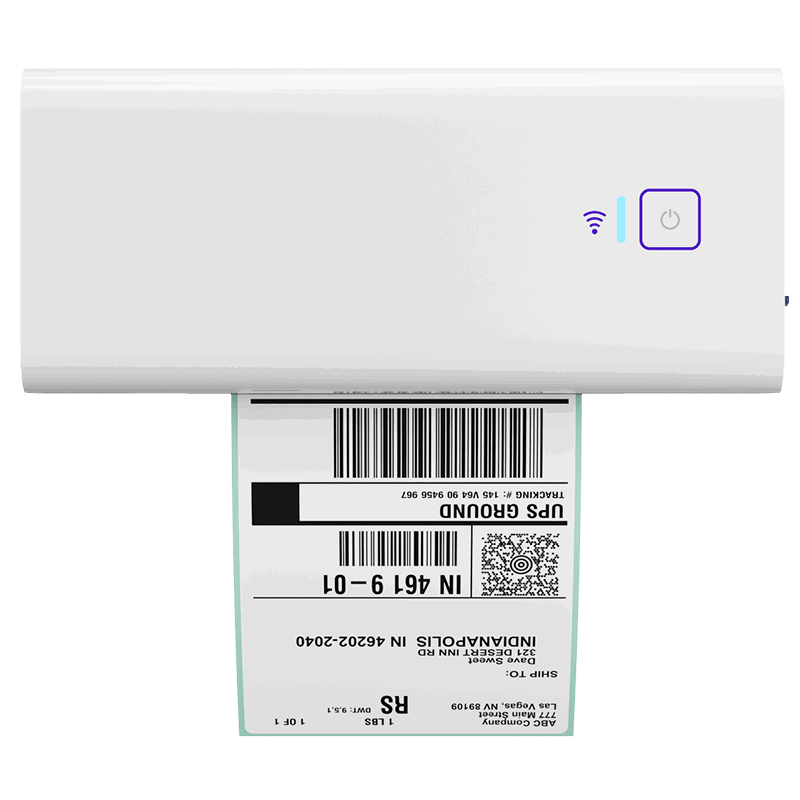
Once you’ve checked the packed weight and dimensions, the Rollo Wireless Printer helps you print clean 4×6 labels fast—without adding extra hassle to your shipping process.
How do sellers overpay on Facebook Marketplace shipping?

Sellers often overpay when they move too fast, trust a rough estimate, or assume the default shipping path is always the best one. These mistakes feel minor in the moment, but they can stack up across repeated orders and quietly eat margin.
A lot of overpaying is not dramatic. It is just repetitive.
Trusting the platform estimate too early
This usually looks like:
- pricing the order before the item is fully packed
- assuming the label will be “close enough”
- skipping comparison because the built-in path is easier
Ignoring packaging costs and margin math
A label can look acceptable until you add the rest of the cost picture:
- mailer or box
- filler or wrap
- tape and inserts
- reduced payout after fees
- the time spent fixing a poor shipping choice
Using the same shipping decision for every order
Not every order should be treated the same way. A repeatable process is good. A one-size-fits-all shipping habit is not.
Good shipping decisions usually come from asking one simple question: Is this the kind of order where comparison matters?
Which Facebook Marketplace orders are most likely to need a rate comparison?

Not every order needs extra work. Rate comparison matters most when the shipment is bulky, lightweight, fragile, oddly shaped, or already running on a thin margin.
Those are the orders where a small change in shipping cost may decide whether the sale still feels worth it.
Low-margin orders
These are the easiest to damage with a mediocre label decision. If the order does not have much room, compare first.
Bulky but lightweight items
These may look cheap to ship until the final package size changes the picture.
Awkward or fragile shipments
These often need more protective packing, which can turn a simple shipment into a more expensive one.
When you start spotting these patterns, rate comparison stops feeling like extra work and starts feeling like smart filtering. This is another place where a comparison workflow can help. If a small rate difference changes the economics of the order, visibility matters.
How can you compare rates before you print without adding more busywork?

The point is not to create a more complicated shipping process. The point is to add one smart checkpoint before label purchase so you can compare likely options, print with more confidence, and avoid defaulting to the same choice every time.
A cleaner workflow can save mental energy as much as money.
A simple compare-before-you-print workflow
Here is a practical way to handle it:
- Pack the order completely.
That gives you the real shipment, not a guess. - Confirm weight and dimensions.
This is your baseline for any comparison. - Check whether the order fits your “compare” triggers.
Low margin, bulky, odd shape, fragile, or uncertain cost. - Compare likely carrier options.
Do this only when the order deserves it. - Print with confidence.
Once the math makes sense, move on.
What repeat sellers should standardize
If you sell similar products often, standardize these pieces:
- common package types
- packing method
- typical finished dimensions
- when to compare and when not to
When a shipping dashboard helps more than another tab
This is the strongest point for a tool like Rollo Ship. If you are tired of guessing, opening too many tabs, or defaulting to the platform flow just because it is easier, having rate comparison and label flow in one dashboard can reduce friction.
That is especially helpful when you want:
- clearer rate visibility before checkout
- fewer surprise fees
- a more repeatable label workflow
- less second-guessing on borderline orders
Check shipping costs before you commit to the label.
The Rollo Ship Shipping Calculator helps you compare rates, price orders more confidently, and avoid the expensive guesswork that can eat into your margin.

Final Words
Facebook Marketplace shipping costs can feel frustrating when the label price is the only number you see clearly. As this article showed, the real issue is usually the full shipping picture: packed size, weight, fees, and margin all working together. Once you know what sellers often miss, it becomes much easier to spot the orders that need a second look before you print. That is where Rollo stands out. With Rollo Ship, you can compare rates, stay organized, and make label decisions with more clarity and fewer surprises.
Follow Rollo on:
Frequently Asked Questions About Facebook Marketplace Shipping Costs
📌 Q: Why do Facebook Marketplace shipping costs feel too high in the moment?
💭 A: They usually feel high when you are reacting to the label price without seeing the full cost picture. Package size, final weight, fees, and thin margins can all make a simple shipment feel more expensive than expected.
📌 Q: What do sellers usually miss before they buy the label?
💭 A: They often miss the packed dimensions, the true packaging setup, and whether the order still makes sense after shipping costs and fees are counted together.
📌 Q: Can I save money by using my own shipping label on Facebook Marketplace?
💭 A: Sometimes, yes. It depends on the order, the package, and whether comparing carriers gives you a better option than the built-in prepaid label.
📌 Q: Are Facebook Marketplace prepaid labels always the cheapest option?
💭 A: No. They can be convenient, but convenience and lowest cost are not always the same thing.
📌 Q: Does package size matter as much as weight?
💭 A: It can. Bulky but lightweight packages are one of the most common reasons a shipment feels more expensive than expected.
📌 Q: When is Facebook’s prepaid label probably fine to use?
It is usually a reasonable choice when the order is simple, easy to pack, and not so margin-sensitive that every dollar changes the decision.
📌 Q: When should I compare carriers before printing a label?
💭 A: Compare first when the item is low margin, oddly shaped, fragile, or likely to be sensitive to package size.
📌 Q: What is the cheapest way to ship Facebook Marketplace orders?
💭 A: There is no single best answer for every order. The cheapest option depends on package weight, dimensions, packaging, and whether another carrier prices the shipment better than the default Marketplace flow.


