
TL;DR: A free shipping app is shipping software that helps online sellers import orders, compare available carrier options, buy postage, print labels, sync tracking, and manage fulfillment without a monthly subscription. “Free” usually refers to the software access or starting plan, not free postage. With Rollo Ship, sellers get their first 200 labels free, then pay $0.05 per label, with postage purchased separately.
Your phone buzzes—another order is in. Great news… until you remember the fulfillment routine that follows: checking carrier options, buying postage, printing labels, and making sure tracking gets back to the customer.
That work gets heavier as orders grow. A free shipping app can help online sellers manage shipping from one place instead of jumping between carrier sites, store dashboards, spreadsheets, and printers.
With Rollo Ship, sellers can compare available carrier options, buy postage, print labels, sync tracking, and manage fulfillment without a monthly subscription. Whether you ship apparel in the U.S., beauty products in Canada, handcrafted goods across the border, or electronics to repeat customers, the right shipping app can help you make better decisions before you buy the label.
Here’s What We’ll Cover
What Is a Free Shipping App?

A free shipping app is usually software that helps sellers manage shipping without paying a monthly subscription. It may help with order imports, rate comparison, postage purchasing, label printing, tracking updates, and fulfillment workflows. Free does not usually mean postage is free; it means the software is free to start or low-cost to use.
For online sellers, this distinction matters. A free shipping app should help you understand shipping costs before you commit to a label. That can make it easier to offer free shipping, flat-rate shipping, or minimum-order free shipping without guessing your margins.
- 🛒 Imports orders when a buyer checks out.
- 💰 Compares available shipping options so you can review cost, speed, and service before buying postage.
- 🖨️ Prints labels and packing slips, then helps push tracking numbers back to your storefront.
Are Free Shipping Apps Actually Free?
Some shipping apps are free to start, but sellers should check for monthly fees, per-label fees, postage costs, feature limits, and carrier availability. Rollo Ship has no monthly subscription, includes the first 200 labels free, and then charges $0.05 per label, with postage purchased separately.
That means Rollo Ship can still fit the free shipping app category, but the most accurate way to describe it is: free to start, no monthly subscription, first 200 labels free, postage separate.
What Is the Difference Between Free Shipping for Shoppers and Free Shipping for Sellers?
Free shipping for shoppers means the buyer does not see a separate shipping charge at checkout. For sellers, the shipping cost still exists. Sellers usually cover that cost through product pricing, order minimums, discounted labels, flat-rate shipping, or a mix of fulfillment strategies.
For example, a shopper may see “free shipping” on a $45 apparel order. Behind the scenes, the seller still needs to choose a carrier service, buy postage, print a label, pack the order, and send tracking details.
Discover how Rollo Ship stacks up against other shipping tools in our Best Free Shipping Software guide. It breaks down features, savings, and why many sellers compare free-to-start shipping platforms before choosing a workflow.
Want the perks of a free-to-start shipping app without another monthly software bill?
With Rollo Ship, you can import orders, compare available rates, buy postage, and print crisp labels from one workflow. Your first 200 labels are free, and postage is purchased separately.
What Is the Difference Between a Shopping App With Free Shipping and a Shipping App for Sellers?
A shopping app with free shipping helps customers find products, discounts, and delivery offers. A shipping app for sellers helps businesses compare rates, buy postage, print labels, sync tracking, and manage fulfillment. The two sound similar because they both involve shipping, but they serve different sides of the order.

Think of it like the front and back of the same store. At the front, the customer is shopping. They care about product price, checkout speed, and whether shipping feels affordable. At the back, the seller is fulfilling the order. They care about package size, delivery speed, label cost, carrier options, tracking, and profit margin.
| App type | Who it helps | What it does |
|---|---|---|
| Shopping app with free shipping | Buyers | Helps shoppers find products, deals, and free delivery offers |
| Shipping app for sellers | Businesses | Helps sellers compare rates, buy postage, print labels, and manage orders |
| Free shipping offer | Customers and sellers | Removes the visible shipping charge for the buyer, but the seller still manages the cost |
| Rollo Ship | Online sellers | Helps sellers manage shipping workflows without a monthly subscription |
The simplest way to remember it: A shopping app helps customers buy. A shipping app helps sellers ship.
How Does Rollo Ship Work Behind the Scenes?

Rollo Ship helps sellers move from order to label without jumping between multiple tools. Instead of manually copying order details, checking carrier websites, and printing labels one at a time, sellers can manage the process from a connected shipping dashboard.
Connect Your Store and Import Orders
Rollo Ship connects with major selling channels so sellers can bring orders into one place. This can help reduce manual entry and make fulfillment easier to manage when orders come from more than one store or marketplace.
For small sellers, that might mean a few orders per week. For growing brands, it might mean dozens or hundreds of orders during a product launch, seasonal sale, or holiday rush.
Compare Carrier Rates Before You Buy Postage
Before buying a label, sellers can compare available shipping options based on the package, destination, and service selected. This is useful because the cheapest option for one order may not be the best fit for another.
A lightweight apparel order, a fragile handmade product, a box of chocolates, and an oversized sports item can all create different shipping decisions. Rates, discounts, services, pickup options, and delivery estimates can vary by carrier, shipment details, account settings, and location.
Print Labels and Packing Slips More Efficiently
Once the seller chooses a shipping option, the next step is printing the label. Rollo Ship works with different printers, but it pairs especially well with the Rollo Wireless Label Printer for sellers who want a faster thermal label workflow.
A thermal label printer can be especially helpful for sellers who regularly print 4×6 shipping labels. It can reduce the need for ink, tape, and manual label trimming.
Want to see how a compact printer can power serious growth? Check out our guide on turning a small label printer into big business.
What Shipping App Works for U.S. and Canadian Sellers?
U.S. and Canadian sellers should look for a shipping app that supports domestic shipping, cross-border orders, multiple carriers, clear postage costs, and tracking tools. Rollo Ship is built for sellers in both the United States and Canada, which makes it useful for North American e-commerce workflows.
This is especially important for sellers who ship across regions or sell to customers on both sides of the border.
How Rollo Ship Supports U.S. Sellers
For U.S. sellers, Rollo Ship can help with common fulfillment tasks like comparing carrier options, buying postage, printing labels, syncing tracking, and managing orders from connected selling channels.
A U.S.-based apparel seller, for example, may use Rollo Ship to compare options for lightweight mailers before deciding whether to offer free shipping over a certain order amount. A sports equipment seller may need to compare package size, delivery speed, and service options before shipping a larger box.
How Rollo Ship Supports Canadian Sellers
Canadian sellers can also use Rollo Ship to manage shipping from one dashboard. That matters because Canadian sellers often need to compare domestic Canada shipping, U.S.-bound shipments, and international options depending on where their customers are located.
A beauty seller in Toronto, for example, may need one workflow for Canadian orders and another for U.S. customers. A handcrafted goods seller in Vancouver may need to compare delivery speed and tracking options for cross-border orders.
How Rollo Ship Helps With U.S.–Canada Cross-Border Orders
Cross-border shipping can add extra decisions. Sellers may need to think about customs details, delivery timing, product type, package value, and customer expectations.
| Seller scenario | Shipping challenge | What to compare before buying postage |
|---|---|---|
| Canadian apparel seller shipping to New York | Lightweight packages, repeat sizes | Package weight, delivery speed, tracking |
| U.S. accessories seller shipping to Toronto | Cross-border order | Customs details, service options, delivery timing |
| Beauty seller shipping within Canada | Small but repeatable parcels | Carrier options, packaging consistency, tracking |
| Electronics seller shipping U.S. to Canada | Higher-value shipment | Tracking, delivery speed, service level |
| Chocolate seller shipping cross-border | Time-sensitive product | Transit time, packaging, temperature risk |
| Sports equipment seller shipping to either country | Larger package size | Package dimensions, service options, delivery estimate |
Rollo Ship does not make every shipping decision automatic, but it gives sellers a clearer place to compare available options before purchasing postage.
What Makes Rollo Ship a Helpful Free-to-Start Shipping App?

Rollo Ship is designed for sellers who want to manage shipping without adding another monthly software subscription. It combines order management, rate comparison, label printing, tracking, and rewards into one shipping workflow.
And the data backs it up: 91% of SMB owners say they want an all-in-one tool to streamline operations. Rollo Ship answers that need by bringing order import, rate comparison, labels, and tracking into a practical shipping workflow.
| Feature | Why it matters for sellers |
|---|---|
| No monthly subscription | Helps sellers avoid another fixed software cost |
| First 200 labels free | Gives new sellers room to start shipping before label fees begin |
| $0.05 per label after that | Keeps label creation costs predictable before Rewards reductions |
| Rollo Rewards | Can reduce label fees as sellers move through Rewards tiers |
| U.S. and Canada support | Useful for North American sellers and cross-border workflows |
| Multi-carrier rate comparison | Helps sellers compare options before buying postage |
| Tracking sync | Helps customers stay updated after shipment |
| Printer compatibility | Works with different printers, with Rollo printers optimized for label workflows |
This makes Rollo Ship especially useful for sellers who want to keep shipping organized without building a complicated fulfillment system from scratch.
How Does Rollo Ship Help Sellers Offer Free Shipping Without Losing Margin?

Rollo Ship can help sellers offer free shipping more strategically by showing shipping costs before the label is purchased. Sellers can compare available rates, review delivery options, and decide whether free shipping, flat-rate shipping, or a minimum-order threshold makes the most sense for each product type.
Free shipping is not really free for the business. It is a pricing and fulfillment decision. A seller may build the cost into the product price, set a free shipping threshold, limit free shipping to certain items, or use shipping discounts to reduce the cost before offering it to customers.
Use Rate Comparison Before Setting a Free Shipping Offer
Before advertising free shipping, sellers should understand what the shipment may cost. A lightweight hat, a skincare bottle, a handmade ceramic item, and a box of sports gear can all create different shipping costs.
Using Rollo Ship to compare available options before buying postage can help sellers avoid offering a promotion that looks good to customers but hurts margins.
Set Free Shipping Thresholds by Product Type
| Seller type | Common shipping challenge | Possible free shipping strategy |
|---|---|---|
| Apparel | Lightweight items, repeat package sizes | Free shipping over a minimum order value |
| Accessories and hats | Small parcels, low-to-mid order values | Bundle incentives or threshold-based free shipping |
| Beauty products | Repeat purchases, small packages | Free shipping after two or more items |
| Handcrafted goods | Fragile items, packaging needs | Free shipping only on select products or order values |
| Chocolates | Time-sensitive shipping | Free shipping during cooler seasons or with limited services |
| Electronics | Higher value, tracking expectations | Free shipping with tracked service built into price |
| Sports equipment | Larger dimensions | Flat-rate shipping or free shipping only above a higher threshold |
The goal is not to offer free shipping on every order. The goal is to understand when free shipping supports the sale and when it may create unnecessary cost.
Use Shipping Data to Make Better Decisions
As sellers ship more orders, patterns become easier to spot. Some products may ship cheaply and consistently. Others may be more expensive because of size, weight, destination, or packaging.
A shipping app can help sellers make better decisions by keeping fulfillment activity organized in one place.
How Do Rollo Rewards Lower Label Costs Over Time?
Rollo Rewards is Rollo’s loyalty program for sellers who ship through Rollo Ship. Sellers can earn points through shipping and eligible in-app actions, and those points can help unlock lower label creation fees over time.
That matters for growing sellers because label creation costs can become more important as order volume increases. A seller shipping a few packages per week may care most about avoiding a monthly subscription. A seller shipping hundreds or thousands of packages may care more about reducing the per-label fee as volume grows.
Rollo Rewards gives sellers a path where shipping activity can support better platform economics over time.
What Workflow Tricks Streamline Fulfillment With Rollo Ship?

A shipping app becomes more valuable when it reduces repeat work. For sellers, small tasks can add up quickly: checking rates, confirming addresses, printing labels, updating customers, and organizing packages.
Rollo Ship helps simplify these steps so sellers can spend less time on fulfillment and more time on the business.
Automate Routine Shipping Tasks
- 📦 Shipping presets: Save repeat package details so similar orders are easier to process.
- 🖨️ Batch printing: Select multiple orders and print labels with fewer clicks.
- ✉️ Tracking sync: Tracking details can flow back to your store so customers know when orders are on the way.
Use Saved Package Details for Repeat Products
Many sellers ship the same types of products again and again. Apparel sellers may use the same mailer sizes. Beauty sellers may use repeat box sizes. Hat sellers may use consistent packaging. Chocolate sellers may need specific packaging for seasonal shipments.
When package details are easier to reuse, sellers can move faster through similar orders.
Use Bulk Printing for Seasonal or High-Volume Orders
Bulk workflows can be especially helpful during launches, sales, holidays, and restocks.
A handcrafted goods seller may need to ship many orders after a market event. An apparel brand may see a spike after a new drop. A sports equipment seller may need to process multiple large orders during a seasonal rush. Bulk label tools can help sellers avoid creating every shipment one at a time.
Can a Shipping App Help With Pickups and Drop-Off Planning?
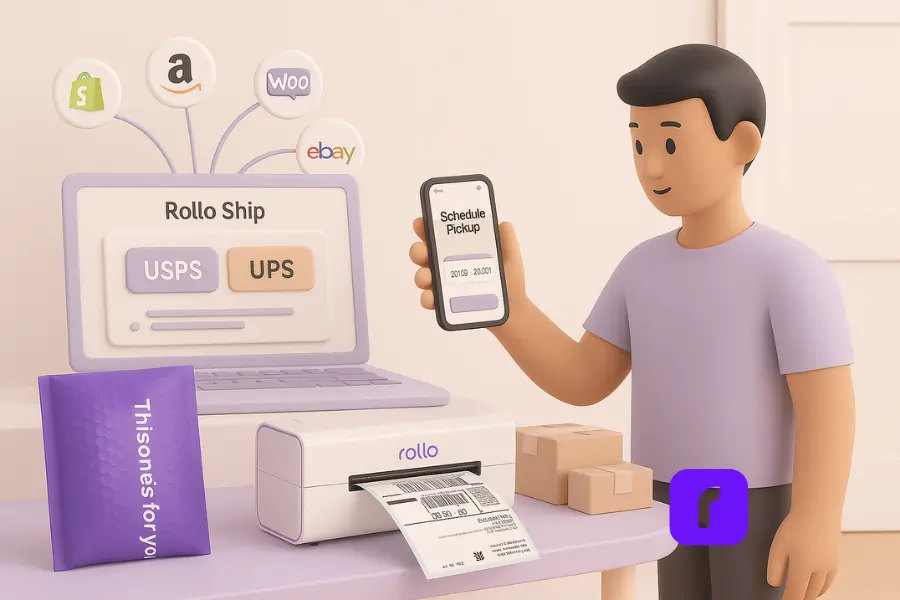
A shipping app can help sellers plan pickups and drop-offs by organizing labels, tracking, and shipment details in one place. Pickup availability, fees, carrier options, and service rules can vary by location, shipment type, and carrier, so sellers should always review the available options before finalizing a shipment.
For U.S. sellers, pickup options may be part of the workflow depending on the carrier and service selected. Canadian sellers should also check carrier-specific pickup, drop-off, and service availability before purchasing postage.
The practical benefit is simple: sellers can prepare shipments more efficiently and avoid last-minute decisions after packages are already packed.
How Do You Get Started With Rollo Ship?

Getting started with Rollo Ship is straightforward.
- Create your Rollo Ship account.
- Connect your selling channels.
- Import your orders.
- Compare available shipping options.
- Buy postage.
- Print labels.
- Sync tracking.
- Earn Rollo Rewards as you ship.
Rollo Ship has no monthly subscription. Your first 200 labels are free, and after that, labels start at $0.05 each, with postage purchased separately. Rollo Rewards can reduce the label fee as sellers move through Rewards tiers.
You do not need a Rollo printer to use Rollo Ship. Rollo Ship can work with different printers, although the Rollo Wireless Label Printer is optimized for shipping labels and can help sellers print labels faster without ink.
Need faster delivery on select products? Our post on two-day shipping on a budget walks you through service choices and cost trade-offs.
Ready to manage shipping from one cleaner workflow?
Pair Rollo Ship with the Rollo Wireless Thermal Printer to compare available rates, print labels, sync tracking, and keep fulfillment moving from cart to doorstep.
Which Sellers Benefit Most From a Free-to-Start Shipping App?

A free-to-start shipping app can help sellers who want to reduce manual work, compare shipping options, and keep fulfillment organized without adding a monthly subscription. It is especially useful for sellers with repeat orders, multiple product types, or customers in both the U.S. and Canada.
Apparel, Accessories, and Hat Sellers
Apparel, accessories, and hat sellers often ship lightweight packages with repeatable sizes. That makes them a good fit for rate comparison, saved package details, and free shipping thresholds.
Beauty and Small Product Sellers
Beauty sellers often ship small items with repeat buyers. A shipping app can help compare rates, print labels, and sync tracking so customers know when their order is on the way.
Handcrafted Goods and Chocolate Sellers
Handcrafted products and chocolates may need more careful packaging. Sellers may need to think about fragility, timing, weather, and delivery speed.
Electronics and Sports Equipment Sellers
Electronics and sports equipment can create different shipping challenges. Electronics may need tracking and careful handling. Sports equipment may involve larger boxes or dimensional weight. For these sellers, comparing available shipping options before printing the label can help avoid surprises.
Final Words
A shopping app with free shipping and a shipping app for sellers may sound similar, but they solve different problems.
A shopping app helps customers find deals and buy products. A shipping app helps sellers manage the work that happens after the order is placed.
Rollo Ship is built for that seller-side workflow. It helps online businesses compare available shipping options, buy postage, print labels, sync tracking, manage fulfillment, and ship across the U.S. and Canada without a monthly subscription.
For sellers trying to offer free shipping more carefully, Rollo Ship can help turn shipping from a guessing game into a more organized workflow.
Follow Rollo on:
Frequently Asked Questions About Free Shipping Apps
📌 Q: Is Rollo Ship a free shipping app?
💭 A: Rollo Ship is free to start and does not charge a monthly subscription. Sellers get their first 200 labels free. After that, labels cost $0.05 each, with postage purchased separately based on the carrier, service, package size, destination, and delivery speed selected.
📌 Q: Does free shipping mean postage is free?
💭 A: No. Free shipping usually means the buyer does not pay a separate shipping charge at checkout. The seller still pays the shipping cost. Sellers may cover that cost through product pricing, order minimums, discounted labels, flat-rate shipping, or other fulfillment strategies.
📌 Q: What is the difference between a shopping app with free shipping and a shipping app for sellers?
💭 A: A shopping app with free shipping helps buyers find products, deals, and delivery offers. A shipping app for sellers helps businesses compare shipping options, buy postage, print labels, sync tracking, and manage fulfillment after an order is placed.
📌 Q: Can a shipping app help sellers offer free shipping?
💭 A: Yes. A shipping app can help sellers compare rates before buying postage, understand shipping costs by product type, and decide when free shipping makes sense. It does not make postage free, but it can help sellers make better pricing and fulfillment decisions.
📌 Q: Does Rollo Ship work in Canada?
💭 A: Yes. Rollo Ship supports Canadian shippers. Canadian sellers should review available carrier options, shipment details, service availability, rates, and delivery timing before purchasing postage.
📌 Q: Can Rollo Ship help with U.S.–Canada shipping?
💭 A: Yes. Rollo Ship can support sellers managing U.S. and Canada shipping workflows, including domestic and cross-border shipments. Sellers should review carrier options, customs details, service availability, and delivery timing before buying postage.
📌 Q: How does Rollo Rewards work?
💭 A: Rollo Rewards lets sellers earn points through shipping and eligible in-app actions. As sellers move through Rewards tiers, label creation fees can decrease, which can be especially useful for growing sellers that print labels regularly.
📌 Q: Do I need a Rollo Wireless Label Printer to use Rollo Ship?
💭 A: No. Rollo Ship can work with different printers, including thermal and inkjet printers. However, the Rollo Wireless Label Printer is optimized for shipping labels and can help sellers print labels faster without ink.
📌 Q: Which sellers benefit most from Rollo Ship?
💭 A: Rollo Ship can be useful for apparel, accessories, beauty, handcrafted goods, chocolates, electronics, sports equipment, and other online sellers. It is especially helpful for sellers who want to compare rates, print labels, sync tracking, and manage U.S. or Canadian orders from one workflow.
📌 Q: What should small businesses look for in a shipping app?
💭 A: Small businesses should look for transparent pricing, rate comparison, order imports, tracking sync, bulk label printing, printer compatibility, carrier options, and support for the regions where they ship. U.S. and Canadian sellers should also check whether the app supports the carriers and services they use most.


