
TL;DR: The free vs. subscription shipping software question comes down to one formula: postage plus platform cost. Free multi-carrier platforms charge a small per-label fee with no monthly bill. Subscription platforms charge a fixed monthly fee whether you ship 10 orders or 1,000. For most growing US and Canada sellers, a per-label model scales more predictably, because the cost moves with volume instead of sitting on the books every month. The right choice depends on your volume, your carriers, and whether you ship from both countries.
Free vs Subscription Shipping Software At a Glance
- Shipping software costs have two parts: the postage paid to the carrier and the platform fee charged by the software.
- Subscription platforms charge a recurring monthly fee, often tiered by features or volume. This fee applies even in slow months.
- Free (per-label) platforms charge a small fee per label printed, with no monthly commitment.
- A monthly fee is a fixed cost: A per-label fee is a variable cost that scales with shipments.
- Carrier coverage varies widely: Some free tools support only one or two carriers; multi-carrier platforms connect several.
- The US and Canada differ: US-origin and Canada-origin shipping use different carriers, and not every platform supports both.
Jump To
Who This Article Is For
This guide is for e-commerce sellers comparing a free shipping app against a paid subscription tool. It is written for cost-focused sellers, sellers building a repeatable shipping workflow, and sellers who have outgrown a single-carrier free app. The goal is clarity on the real math — not a sales pitch.
The free shipping software vs. subscription debate matters most when your order volume is uneven. A fixed monthly fee feels fine in busy months and painful in quiet ones. This article breaks down both cost models for sellers in the United States and Canada, then shows where each one fits.
What “Free” and “Subscription” Actually Mean in Shipping Software

“Free” shipping software usually means no monthly fee, with a small per-label charge instead. Sellers often frame this as pay-per-use versus subscription, the same way they weigh one-time against recurring software pricing. “Subscription” software means a recurring monthly payment, often tiered by features, users, or shipment volume. Both still require you to pay postage separately to the carrier. The platform fee and the postage are two different costs.
This distinction trips up a lot of sellers. The software fee is what the platform charges to generate labels and compare rates. The postage is what the carrier charges to move the parcel. No shipping software makes postage itself free.
A few patterns are worth naming clearly:
- Some “free” platforms support only one or two carriers, often US-domestic only.
- Some subscription platforms unlock extra carriers or features only at higher-paid tiers.
- Some marketplace-tied tools lock you into the rates of one store’s built-in shipping.
Each model has a place. The mistake is assuming “free” always wins or “paid” always means better.
How Shipping Software Costs Actually Add Up

The real cost of any shipping platform follows one formula: postage plus platform cost, multiplied across your monthly volume. Postage is roughly comparable across tools that access the same carrier rates. So the deciding factor is usually the platform cost—and how that cost behaves as your volume changes.
A subscription is a fixed cost. You pay it whether you ship 5 parcels or 5,000. Divide the monthly fee by your shipment count to find your true per-label overhead. At low volume, that number can be surprisingly high.
A per-label fee is a variable cost. It rises and falls with your shipments. There is no overhead in a slow month, because you only pay when you print a label.
Here is the same math written two ways:
- Subscription model: postage + (fixed monthly fee ÷ shipments) per label.
- Per-label model: postage + (small fee per label) per label.
The crossover point depends entirely on your volume. A reader running the numbers should compare both at their real monthly shipment count—not their busiest month.
| Monthly shipments | Per-label model (fee only) | Subscription model (fee ÷ shipments) |
|---|---|---|
| 50 | 5¢/label after the 200 free | [ESTIMATED RANGE: $X–$Y ÷ 50] |
| 500 | 5¢ → 3¢ as your tier rises | [ESTIMATED RANGE: $X–$Y ÷ 500] |
| 2,000 | down to 2¢–1¢ at higher tiers | [ESTIMATED RANGE: $X–$Y ÷ 2,000] |
A Common Mistake: Comparing Sticker Price, Not Total Cost

The most common error is comparing a monthly subscription price against a “free” label and stopping there. That skips the parts that actually move your margin: carrier access, feature gating, and volume behavior. A cheap-sounding plan that excludes the carrier you need is not cheap.
Three hidden cost drivers to check before deciding:
- Carrier access. Does the plan include every carrier you ship with, or are some locked behind upgrades?
- Feature gating. Are inventory, batch printing, or mobile access bundled or charged separately?
- Volume behavior. Does your per-shipment cost fall as you grow or stay flat forever?
A platform can look affordable on the pricing page and still cost more over a year. The total cost over time is the number that matters.
US vs Canada: Why the Carrier Mix Changes the Math

Shipping software costs look different in the United States than in Canada because the carrier mix is different. US-origin sellers lean on USPS, UPS®, and FedEx. Canada-origin sellers rely on Canada Post, Purolator, UPS® Canada, and FedEx Canada. A platform that only supports one country’s carriers cannot serve a cross-border seller from a single account.
This matters for the cost comparison. A US-only free app cannot quote a Canada Post label. A Canada-origin-only platform cannot generate a US-domestic USPS label. Sellers who ship from both countries either juggle two tools or choose a platform built for both.
Cross-border adds another layer. Customs forms, duties, and currency all enter the workflow. The tool that handles US and Canadian origins in one account removes the need to stitch portals together.
For low-value, low-weight cross-border parcels, some carriers offer dedicated economy services. UPS® Worldwide Economy, for example, is positioned for low-weight, low-value cross-border shipments on a Delivery Duties Unpaid (DDU) basis, where duties and taxes are paid by the recipient.
The End-to-End Shipping Workflow (And Where Cost Hides)
A complete e-commerce shipping workflow runs through eight stages: order import, packaging, carrier selection, label creation, printing, handoff, tracking, and cost reconciliation. Cost and time leak at the handoffs between them.
Mapping the full sequence shows where a platform saves effort — and where a fragmented setup quietly adds it. Here is the standard sequence for a US or Canada seller.
| Step | What happens | Where cost or time hides |
|---|---|---|
| 1. Order import | Orders pull in from your stores | Manual copy-pasting across platforms wastes time |
| 2. Packaging | Item is boxed and weighed | Wrong dimensions trigger DIM (dimensional weight) charges |
| 3. Carrier selection | You compare rates across carriers | Checking carrier sites one by one is slow and easy to skip |
| 4. Label creation | The shipping label is generated | Per-label fees or monthly fees apply here |
| 5. Label printing | The label is printed | Ink and toner costs add up on inkjet and laser printers |
| 6. Shipment | The parcel is handed to the carrier | Missed pickups and re-trips cost hours |
| 7. Tracking | The customer sees delivery status | Fragmented tracking means more “where is my order?” tickets |
| 8. Economics | Per-shipment cost is tallied | Flat fees never improve; volume discounts can |
DIM weight means carriers may bill by package size, not just actual weight. That single step often explains a higher-than-quoted bill. A clear workflow makes these leaks visible before they hit your margin.

Once you can see how these shipping costs stack up across the full workflow, the next question is which platform structure gives you the most control as you grow.

A free USPS-only shipping app is the right first tool for many sellers. It does one job cleanly. The friction shows up later—when an order needs FedEx, ships to Canada, or has to be printed from a phone.
That moment is not a reason to switch tools. It is the point where a seller outgrows a single-carrier setup. The fix is structural: one free account that already covers those gaps.

This is not a migration project—it is the same simple workflow with the carriers, mobile, and inventory that the next stage needs.

Where this goes next: Rollo Ship—a free multi-carrier shipping platform built for the US and Canada—is designed for exactly this transition. Here is how the structure works.
See your real per-label cost before you print—start free with Rollo Ship. The first 200 labels are fee-free.
How a Multi-Carrier Shipping Platform Solves This

A multi-carrier shipping platform connects several carriers in one account, compares their rates in one screen, and generates labels from a single dashboard. The solution pattern that fits growing sellers is simple: no monthly subscription, a small per-label fee, and a cost that falls as volume rises. That structure aligns what you pay with what you ship.
Rollo Ship implements this pattern. Rollo Ship is a free multi-carrier shipping platform available in the United States and Canada. It connects USPS, UPS®, FedEx, Canada Post, and Purolator from one account, so you compare rates and print labels without switching tabs. Rollo is not a carrier; postage is always paid directly to the carrier, and the per-label service fee is separate from postage.
The pricing structure is built around volume, not a flat monthly bill. Rollo Ship is free to start with no monthly subscription. The first 200 labels are fee-free for new users. After that, a per-label service fee starts at 5 cents and decreases to as low as 1 cent through Rollo Rewards. Volume should unlock advantage—sellers who ship more can pay less per label over time.
| Rollo Rewards tier | Service fee per label |
|---|---|
| Newbie | 5¢ |
| Basic | 5¢ |
| Pro | 3¢ |
| Expert | 2¢ |
| VIP | 1¢ |
The first 200 labels are fee-free for new users. Postage is paid separately to the carrier.
A few capabilities map directly to the wedges sellers run into when they outgrow a single-carrier app:
- FedEx on a free plan (Wedge 1). FedEx and FedEx Canada are available via your connected account, alongside USPS and UPS®, with no monthly fee to unlock them.
- Canada and cross-border (Wedge 2). Canada Post and Purolator give domestic Canadian coverage; US carriers run from the same account for cross-border sellers.
- Mobile shipping (Wedge 3). Native iOS, native Android, and web are all included, so labels print from a phone or a desk.
- Inventory in USD and CAD (Wedge 4). Free bundled inventory tracks stock across stores in either currency.
- Hardware and rewards (Wedge 5). The Rollo Wireless Thermal Printer (X1040) uses direct thermal printing — no ink, no toner, no cartridges — and Rollo Rewards lowers label fees as you grow.
Rollo Ship also includes AI-powered rate selection. It groups similar orders, applies the seller’s shipping rules, and recommends the cheapest service before the label is printed. This is a capability inside the platform, not a separate product.
Rollo Ship is used by 500,000+ sellers across the US and Canada. It also holds a 4.8★ rating on Capterra from verified user reviews.
For carrier rates, Rollo Ship users can access discounted USPS rates up to 90% off retail USPS rates on select services, plus access to discounted UPS® rates (subject to program terms). FedEx and Canada Post are accessed on a service basis; Rollo does not promise carrier-specific discount percentages for them.
Discounts off UPS daily rates. Rates are limited to shipping from the U.S. only. Rates and any applicable discounts are subject to change at any time without notice. For Canada-origin shipments: discounts off UPS daily rates, limited to shipping from Canada only; rates and any applicable discounts are subject to change at any time without notice.
A quick, grounded scenario

Picture a US apparel seller on Shopify and Amazon, shipping a few hundred parcels a month. A growing trickle of orders also goes to Canada. On a fixed monthly subscription, the same overhead lands every month, regardless of how much you ship.
On a per-label model, the first 200 labels are fee-free, then a fee starts at 5 cents. So the platform cost tracks the actual shipment count. The Canadian orders ship from the same account instead of from a second tool. The math favors the variable model precisely because volume is uneven.
Model it at your real volume—Rollo Ship is free to start, with no monthly subscription and the first 200 labels free.
Print the Label Without
Slowing Down the Workflow
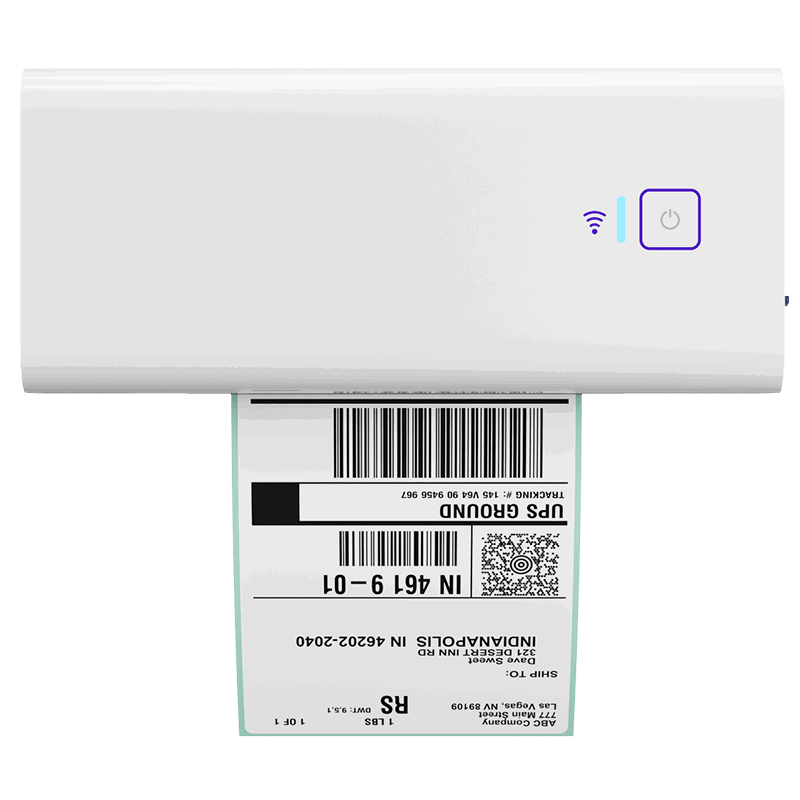
Once you know which shipping path makes the most sense, the next step should feel simple. Rollo’s Wireless Printer helps you print crisp 4×6 labels quickly, so your packing station keeps moving without adding extra friction to the order.
What Happens Without a System Like This

Without a multi-carrier system, sellers default to one of three patterns: manual rate comparison, fragmented carrier portals, or a flat platform fee that never improves. Each works at low volume and strains as orders grow. None is wrong on its own—together they add quiet, compounding operational drag over time.
- Manual rate comparison. Checking carrier websites one by one is slow, so sellers often skip it and overpay on services that were not the best fit.
- Fragmented carrier portals. Separate logins for each carrier mean separate label flows, separate tracking, and more places for errors to hide.
- Static platform fees. A flat monthly fee never improves, so per-shipment overhead stays the same in year three as it was on day one.
The cost here is rarely a single dramatic number. It is a small leakage repeated across every order—the kind that only shows up when you add up a full year.
Who This Is NOT For
Rollo Ship is a structural fit for many sellers, but not all. It is worth being honest about where another setup serves you better.
- One-off or very low-volume shippers. If you mail a handful of parcels a year, a carrier’s own website may be all you need.
- Sellers locked into a 3PL. If a third-party logistics provider creates your labels, you may not control the shipping layer at all.
- Single-carrier loyalists. If you ship exclusively with one carrier and never compare rates, multi-carrier comparison adds less value.
If one of those describes you, a simpler tool is the right call. Rollo Ship is built for sellers who compare rates, ship at recurring volume, and want their cost structure to improve as they scale.
When to Try Rollo Ship
Rollo Ship fits sellers who want their shipping cost to improve as they grow, not sit flat on a monthly invoice. If you are weighing a subscription tool against a free one, the per-label model is worth modeling at your real volume. It is especially relevant if you ship across the US and Canada, need FedEx without a paywall, or want inventory and mobile included.
What you get on the free plan:
- Free to start, with no monthly subscription.
- The first 200 labels are fee-free for new users.
- A per-label service fee that decreases from 5 cents to as low as 1 cent through Rollo Rewards.
- Five carriers in one account: USPS, UPS®, FedEx, Canada Post, and Purolator.
- Postage paid directly to the carrier; the per-label fee is separate.
For sellers focused on landed-cost clarity and per-label economics, Rollo Ship shows the real cost before you commit to a label. Sign up for Rollo Ship.
Ready for a shipping workflow that scales without adding more chaos?
If your team is spending too much time on rate checks, label creation, and order handoffs, Rollo Ship can help bring those steps into one place. It is a practical next step for small teams that want more clarity, fewer repeated tasks, and a shipping process that feels easier to manage as order volume grows.
Rollo Ship brings rate comparison, label creation, and order handoffs across USPS, UPS®, FedEx, Canada Post, and Purolator into one free account.

Follow Rollo on:
Frequently Asked Questions About Free vs Subscription Shipping Software
📌 Q: What is the difference between free and subscription shipping software?
💭 A: Free shipping software charges a small per-label fee with no monthly commitment. Subscription shipping software charges a recurring monthly fee, often tiered by features or volume. Both still require postage paid separately to the carrier. A multi-carrier platform like Rollo Ship uses a per-label model, so cost tracks your actual shipments instead of a fixed monthly bill. When comparing free vs. subscription shipping software, the deciding factor is usually your monthly volume.
📌 Q: Is free shipping software actually cheaper than a subscription?
💭 A: It depends on your volume and which carriers you need. A per-label fee is a variable cost that scales with shipments, while a subscription is fixed every month. At lower or uneven volume, a per-label model is often more economical. Compare both at your real monthly shipment count, including any carriers locked behind paid tiers.
📌 Q: What is the best shipping software for small businesses in the US and Canada?
💭 A: The best fit supports every carrier you ship with in both countries if you sell cross-border, without forcing a monthly fee. Look for multi-carrier rate comparison, mobile access, and a cost that falls as you grow. Rollo Ship connects USPS, UPS®, FedEx, Canada Post, and Purolator in one free account across the US and Canada.
📌 Q: How do I set up a shipping workflow with multiple carriers?
💭 A: Connect your stores, connect your carrier accounts, then compare rates and print labels from one dashboard. A multi-carrier platform handles order import, rate comparison, label creation, and tracking in a single flow. This removes the need to log into each carrier site separately. Rollo Ship adds AI-powered rate selection that recommends the cheapest service before you print.
📌 Q: Why do different carrier rate calculators show different costs for the same shipment?
💭 A: Each carrier prices by its own rules—zones, dimensional weight, fuel surcharges, and service level all vary. The same parcel can cost different amounts at USPS, UPS®, FedEx, Canada Post, or Purolator. That is why comparing rates side by side matters. A multi-carrier platform surfaces those differences in one screen so the cheapest fit is visible before you commit.
📌 Q: What features should I look for in shipping software for Amazon or Shopify sellers?
💭 A: Look for direct store integration, multi-carrier rate comparison, batch label printing, and a cost model that scales with volume. Confirm the carriers you actually ship with are included, not locked behind a higher tier. Mobile access matters if you ship away from a desk. Rollo Ship connects to common stores and compares USPS, UPS®, and FedEx on one screen, with the first 200 labels fee-free.
📌 Q: Does Rollo Ship work for sellers shipping from Canada?
💭 A: Yes. Rollo Ship supports Canada-origin shipping with Canada Post and Purolator for domestic coverage, plus US carriers from the same account for cross-border orders. Inventory tracks in CAD or USD. This lets a Canadian seller manage domestic and cross-border shipments without running two separate tools.


