
TL;DR: Shipping automation for small business means using a more repeatable workflow to reduce manual rate checks, label work, and order handling before those tasks force unnecessary hiring. If your team feels stuck in daily shipping chaos, the real fix is often a clearer process and smarter tool setup, not more payroll.
Your team is buried in labels, rate checks, and order handoffs, and hiring another person is starting to feel like the only way out. Shipping automation for small business can be a smarter first move when the real problem is repeated work, not a lack of effort.
Small teams ship like big companies when the workflow is clear, repeatable, and easier to manage across orders, rates, and tracking. The goal is not to add complexity. It is to cut avoidable clicks, reduce mistakes, and make daily shipping feel less reactive.
That shift starts with knowing what to fix first, so growth brings more control instead of more surprises.
Here’s What We’ll Cover
How do small teams ship like big companies without hiring?

Small teams ship like big companies when shipping work is clear, repeatable, and less dependent on memory or constant decision-making. Shipping automation for small business helps by reducing manual rate checks, label work, and handoff confusion, so growth feels more controlled before payroll becomes the default fix.
Why this matters to The Workflow Builder: This answers the biggest question first and gives you a practical way to think about growth before adding headcount.
What “shipping like a bigger team” actually means
It does not mean acting like a warehouse with endless staff and complicated systems. It means your order flow is organized enough that one person is not reinventing the process every hour.
A bigger-team workflow usually has a few clear traits. Orders move through the same order-to-label workflow each day. Rate decisions follow a pattern instead of guesswork. Labels are easier to create, and handoffs are less messy.
Why more people is not always the first fix
Hiring can help when the workload is truly too large. But many small teams hit friction because the same manual shipping tasks keep stacking up. Copying addresses, checking carrier rates in too many tabs, printing one label at a time, and answering the same workflow question over and over can make a team feel understaffed even when the bigger problem is process.
If that is the real issue, another person may just inherit the same messy setup. A repeatable shipping workflow often creates more relief first.
The difference between growth and workflow maturity
Growth adds volume. Workflow maturity helps you handle that volume without panic.
That is the real difference between a team that feels overwhelmed and one that feels in control. One is reacting all day. The other has a process that can absorb more orders without turning every shipment into a new decision.
What does shipping automation for a small business actually mean in practice?

Shipping automation for a small business does not mean turning a lean team into an enterprise operation overnight. It means removing repeated clicks, repeated decisions, and repeated errors, so orders, rates, labels, and tracking move through a cleaner workflow that is easier to repeat and easier to trust. For small teams, automating shipping workflows can help reduce errors, speed up order fulfillment, and make growth easier to manage.
Why this matters to The Workflow Builder: You need a practical definition early, so automation feels useful instead of vague or too advanced.
What automation changes in the order-to-label workflow
Here is the simplest way to think about it:
| Manual setup | More automated setup |
|---|---|
| Orders are checked in multiple places | Orders are easier to manage in one workflow |
| Carrier rates are compared tab by tab | Rate comparison happens faster and more consistently |
| Labels are created one by one | Batch label printing becomes easier |
| Team members rely on memory | Steps follow a clearer process |
| Tracking gets handled later | Tracking updates are easier to send on time |
What it does not replace
Automation does not replace:
- packaging judgment
- exception handling
- customer service decisions
- special-case orders that need human review
It does remove a lot of the repeated work that slows everything down before those real decisions even happen.
Why centralized shipping operations feel calmer than duct-taped tools
When orders, rates, and labels live closer together, the process feels calmer. Tools like Rollo Ship fit here because they support a more centralized workflow instead of forcing teams to jump between too many disconnected steps.
What are the first signs your shipping workflow is the real bottleneck?

The first signs usually look small: repeated address edits, one-by-one label work, too many tabs open for rate checks, and shipping that feels reactive every day. When the same small tasks keep slowing orders down, the workflow is often the real constraint, not team effort.
Why this matters to The Workflow Builder: It helps you diagnose the problem before you hire too early or switch tools for the wrong reason.
Repetitive label work and address copy-pasting
If someone keeps re-entering order details or fixing the same label issues, that is not just annoying. It is a sign your shipping process depends too much on manual handling.
Rate shopping across too many tabs
If rate comparison means bouncing between USPS, UPS, FedEx, and marketplace screens, the team is spending valuable time on repeated choices. That creates wasted time rate shopping and slows the full fulfillment process.
Batch misses, handoff delays, and inconsistent routines
A small team can lose a lot of time between steps. One order waits because a packing slip is missing. Another gets delayed because nobody knows whether the label was printed. These are clearer team handoff problems, not motivation problems.
A reactive daily workflow often hides inside these small moments. The team may feel busy all day, but the work is still not moving smoothly.
What should a small team automate first?

A small team should automate the tasks that repeat most often and create the most friction first. That usually means order import, rate comparison, label creation, and tracking updates before more advanced changes, because early wins come from reducing repeated work the team touches every day.
Why this matters to The Workflow Builder: This gives you a realistic starting point and keeps automation from feeling like a giant overhaul.
Start with order import and rate comparison
Focus on the tasks that touch almost every order:
- pulling orders into one workflow
- reducing manual data movement
- comparing carrier rates faster
- using clearer shipping rules
- cutting down on repeated clicks
Then reduce one-by-one label work
Next, clean up label flow:
- move away from one-label-at-a-time habits where possible
- use batch label printing for grouped orders
- reduce manual edits before printing
- make label creation easier to repeat
Finally, clean up tracking and handoff steps
Then work on the steps that usually get left behind:
- make tracking updates more consistent
- reduce “who is doing what?” confusion
- tighten handoffs between validation, packing, and dispatch
- keep the process visible enough that orders do not stall
These first changes do not need to be dramatic. They need to remove the work that keeps repeating and draining time.
What does a simple shipping SOP look like before you add more people?

A simple shipping SOP should show what happens in what order, who checks what, and when the package is actually ready to leave. Shipping is a system, it does not need to be complicated. It needs to make validation, packing, labels, dispatch, and tracking consistent enough to repeat every day.
Why this matters to The Workflow Builder: A usable SOP reduces handoff mistakes and makes later automation easier to trust.
A basic order-to-door sequence for a lean team
A lean team might follow a sequence like this:
- Review incoming orders
- Confirm item and shipping details
- Compare carrier rates
- Print labels
- Pack and stage shipments
- Send tracking
That is not fancy, but it creates shipping process standardization. It also makes it easier to spot where the order-to-label workflow is breaking.
Where SOPs usually break under growth
They often break at handoff points. One person validates orders, another packs, and another prints labels, but nobody owns the gaps between those steps.
That is when fulfillment mistakes and rework start showing up. A package sits in the wrong area. A tracking update goes out late. A label gets printed twice. These are workflow problems, not random bad luck.
How SOPs make automation rules easier to trust
A messy process is hard to automate well. A simple shipping SOP gives automation a stable foundation.
When the sequence is clear, tools can support the process instead of adding more confusion. That is what makes automation feel helpful instead of risky.
How does manual rate shopping quietly raise labor and shipping costs?

Manual rate shopping does not only slow down labels. It adds hidden labor costs, delays simple decisions, and makes carrier choices less consistent across the day. When a team checks carriers manually over and over, the workflow becomes more expensive before the label is even purchased.
Why this matters to The Workflow Builder: This turns a vague efficiency problem into a clear cost and time problem you can actually see in your day.
The hidden labor cost of repeated carrier checks
Here is where the cost often shows up:
| Manual rate-shopping habit | What it usually creates |
|---|---|
| Checking rates across multiple tabs | Slower decisions and more context switching |
| Comparing services order by order | Repeated labor on simple shipments |
| Letting each team member choose differently | Inconsistent shipping choices |
| Stopping the packing flow to verify costs | More handoff delays |
| Revisiting the same carriers every day | Wasted time that adds up quietly |
Why inconsistent service choices create more rework
When one person chooses the cheapest service, another chooses the fastest, and nobody follows the same logic, the process gets noisy fast.
That noise creates extra questions, more exceptions, and more avoidable delays. Better rate visibility helps the team move faster because the decision gets simpler.
When rate comparison starts saving more than money
This is where a centralized workflow starts to matter. Rollo Ship can help by bringing multi-carrier rate comparison into the same place as label flow and order handling, which may reduce both decision fatigue and surprise costs.
Ready for a shipping workflow that scales without adding more chaos?
If your team is spending too much time on rate checks, label creation, and order handoffs, Rollo Ship can help bring those steps into one place. It is a practical next step for small teams that want more clarity, fewer repeated tasks, and a shipping process that feels easier to manage as order volume grows.

What should you look for in shipping software for a growing small team?

The best shipping software for a growing small team should reduce repeated decisions, centralize rates and labels, connect with existing selling channels, and make daily shipping easier to repeat. It should remove friction from the workflow, not add another system the team has to manage.
Why this matters to The Workflow Builder: If you are ready to change tools, you need buyer guidance tied to real workflow problems, not a generic feature list.
Features that matter when the goal is scale without hiring
Look for shipping software that supports a cleaner workflow from start to finish. The goal is not just more features. It is fewer interruptions.
A strong fit usually helps your team see orders clearly, compare carrier rates without tab chaos, move through label creation faster, and keep the daily process from feeling scattered. Good shipping software integrations also matter because disconnected systems tend to create more manual work later.
Red flags that create more operational clutter
Be careful with tools that add more exports, more manual steps, or more places to check the same order. That usually means the team is paying for software but still doing the same work.
A shipping dashboard should reduce clutter, not rename it.
When a shipping dashboard becomes worth it
A dashboard becomes worth it when order handling feels fragmented, labels are slowing the team down, and rate checks are happening in too many places. This is where Rollo Ship fits most naturally: it gives growing teams one workflow for rates, labels, and order handling without pushing them into enterprise-style complexity.
How do you simplify a shipping setup that feels too manual?

The simplest next step is usually not a full rebuild. It is to map the current workflow, identify the most repeated shipping decision, standardize that step, and move it into one tool or one process the team can follow. Small, repeatable fixes usually create the clearest path to scale.
Why this matters to The Workflow Builder: This gives you a calm next move instead of an overwhelming list of changes.
Map the current workflow before you change tools
Start here:
- write down each step from order queue to dispatch
- note where labels slow down
- mark where rate decisions happen
- identify where handoffs get messy
- highlight where orders tend to stall
Pick the first repeated task to clean up
Then choose one task that checks all three boxes:
- it happens often
- it causes friction
- it is simple enough to improve now
For many teams, that first fix is rate comparison, label creation, or basic workflow visibility.
Move from scattered tools to one workflow
After that, the next move becomes easier to see:
| If your biggest pain is… | Your next step may be… |
|---|---|
| rate checks in too many places | centralize rate comparison |
| label work piling up | improve label flow or batch printing |
| handoffs getting missed | tighten your SOP |
| orders feeling scattered | use one shipping dashboard |
| daily shipping chaos | move more of the workflow into one repeatable system |
This is the point where Rollo Ship can be a practical next step if your team is ready to bring rates, orders, and labels into one repeatable workflow.
Make label printing the easiest part of your workflow
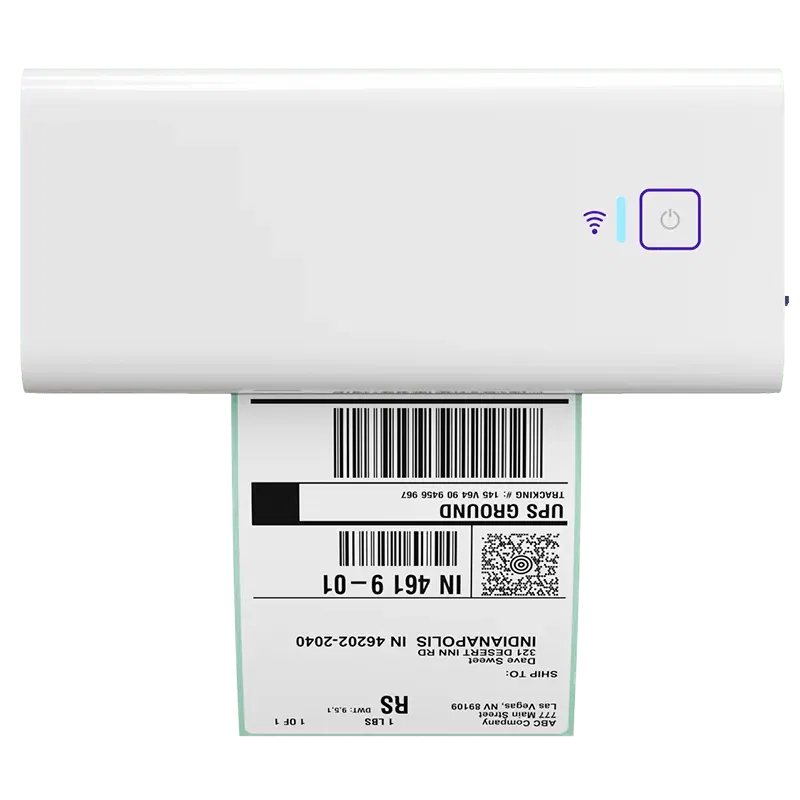
If your team is ready to spend less time on one-by-one labels, the Rollo Wireless Printer can help simplify one of the most repeated steps in shipping. It is a practical next step for small teams that want faster label printing, fewer interruptions, and a setup that feels easier to manage as order volume grows.
Final Words
Small teams ship like big companies when the workflow is clear, repeatable, and less dependent on memory, rework, or constant rate checking. The better first move is often to fix labels, handoffs, and decision-making before adding payroll, so growth brings more control instead of more daily chaos.
Follow Rollo on:
Frequently Asked Questions About How Small Teams Ship Like Big Companies
📌 Q: Should I automate shipping before hiring another person?
💭 A: Usually, yes, if the main problem is repeated shipping work rather than a true labor shortage. When labels, rate checks, and handoffs keep slowing the team down, workflow fixes often create more relief before another hire does.
📌 Q: What shipping tasks should a small business automate first?
💭 A: Start with the tasks that repeat across nearly every order. For most small teams, the clearest early wins are order import, rate comparison, label creation, and tracking updates because those steps tend to create the most repeated work.
📌 Q: How do I know if my shipping workflow is costing me time and money?
💭 A: Look for repeated rate checks, address re-entry, one-by-one label work, missed handoffs, and daily shipping that feels reactive. Those are common signs the workflow itself is creating waste, even if the team stays busy all day.
📌 Q: What does shipping automation actually do for a small team?
💭 A: It reduces repeated decisions and repeated clicks. A better setup can make rates, labels, and order handling easier to manage in a repeatable process, which often makes the whole shipping day feel more organized.
📌 Q: Do I need a full warehouse system to automate shipping?
💭 A: No. Many small teams only need a cleaner workflow and the right shipping tool for rates, labels, and order handling. The goal is not complexity; it is repeatability.
📌 Q: When does hiring still make sense?
💭 A: Hiring still makes sense when the workflow is already clear and the real bottleneck is labor capacity, not repeated shipping friction. More people help most when the process itself is stable enough to hand off cleanly.
📌 Q: What should I look for in shipping software for a small team?
💭 A: Look for software that reduces repeated tasks, centralizes rate comparison, supports label creation, connects with your store or marketplace, and gives the team clearer workflow visibility. The best fit should make daily shipping easier, not more fragmented.
📌 Q: Can a centralized shipping dashboard really reduce mistakes?
💭 A: It can help reduce mistakes by keeping orders, rates, labels, and tracking in one place. Fewer tool jumps often mean fewer missed steps, less handoff confusion, and a more reliable daily workflow.


