
TL;DR: Shipping setup for operations managers should bring rate comparison, label printing, integrations, visibility, and exception handling into one clear workflow. If your team is jumping between tabs, doing manual checks, and guessing through shipping decisions, the right setup helps you fix the biggest problems first, avoid surprise costs, and grow with fewer mistakes.
You are switching between tabs, checking labels twice, and still wondering why shipping mistakes and surprise costs keep happening. That is usually the moment when a shipping setup for operations managers stops feeling like a nice idea and starts feeling like a real need.
A strong setup should do more than help you print labels faster. It should make shipping decisions clearer, cut down on manual work, and give your team one process they can trust.
The goal is not to pile on more tools. The goal is to make shipping easier to manage, easier to follow, and less likely to fall apart when order volume grows.
Jump Ahead
What does a good shipping setup for operations managers look like?

A good shipping setup gives your team one clear way to handle rates, labels, integrations, tracking, and exceptions. It should cut down on manual checks, make daily work easier to manage, and stay steady as order volume grows instead of creating more tabs, more guesswork, and more cleanup.
You need a clear picture of what “good” looks like before you can judge your current process.
A shipping setup is more than a packing station
A packing station matters, but it is only one part of the system. A real shipping setup also covers how orders come in, how rates get picked, how labels get printed, how exceptions get handled, and how the team tracks progress, because shipping is a system from order to door.
That is why a clean table, a good printer, and organized supplies do not solve everything on their own. If the process behind them is still messy, the station may look tidy while the workflow still feels stressful.
What a strong setup should control every day
A strong shipping setup should control the daily decisions that create the most slowdowns and confusion. When the workflow is clear, your team spends less time guessing and more time moving orders forward.
- Picking the right shipping service without second-guessing
- Printing labels in a clear, repeatable way
- Tracking order status without bouncing between tools
- Handling common issues without slowing down the whole workflow
- Making rate decisions easier to understand
- Giving the team a clearer view of what needs attention
When those basics are handled well, daily shipping feels simpler. Your team should not have to keep asking which rate to choose, where an order is, or why the same problem keeps showing up.
The difference between fast and repeatable
A team can be fast and still have a weak process. Many teams move quickly because they know the work well, but a process based on memory is not the same as a process that is easy to repeat.
Repeatable means the workflow still works when order volume jumps, someone is out, or a new person joins the team. That is what ops managers usually need most.
How do you know your shipping setup is too manual?

If your team keeps switching tabs, checking labels by hand, comparing rates one by one, or relying on memory to stay organized, your setup is too manual. The main problem is not just slower shipping. It is a workflow that is harder to trust, harder to teach, and easier to break when things get busy.
This helps you see whether the real issue is the system, not the people doing the work.
5 warning signs your workflow is starting to break
| Warning Sign | What It Often Means | Why It Becomes a Problem |
|---|---|---|
| Re-entering the same order details | Your team is still moving information between tools by hand. | More manual steps mean more wasted time and more chances for errors. |
| Comparing rates across multiple sites | Rate decisions are not built into the workflow. | The team loses time before a label is even printed. |
| Limited order visibility | It is hard to see what shipped, what is delayed, or what needs attention. | Confusion builds fast when no one has a clear view of the workflow. |
| Small exceptions causing big disruption | Address issues, odd packages, or customer requests throw off the whole process. | A fragile setup struggles with normal day-to-day problems. |
| Constant double-checking | The team does not fully trust the system to catch issues. | People end up doing extra manual checks instead of moving work forward. |
Why fast teams still make shipping mistakes
Fast teams often make mistakes because the system asks them to remember too much. When the process depends on memory, speed can make errors happen faster.
That is how shipping mistakes show up. A wrong label, the wrong service, or a missed issue usually starts with a weak process, not with a lazy team.
What “manual” looks like in real ecommerce ops
Manual does not always mean doing everything by hand. Often, it means part of the workflow is automated, but the rest still depends on tabs, workarounds, sticky notes, or one experienced person who knows how to keep things moving.
That can feel fine for a while. Then order volume rises, and the weak spots become obvious.
What should ops managers evaluate first in a shipping setup?

Start with the parts of the workflow that create the most rework: rate decisions, order-to-label flow, integration quality, dashboard visibility, and exception handling. A strong shipping setup for operations managers should remove everyday guesswork before it promises bigger automation, because clear workflows usually solve more problems than a long feature list.
You need a simple way to judge your options so you can fix the right problem first.
Rate logic before discount headlines
Cheap rates do not always mean better shipping decisions. What matters more is whether the setup helps your team compare options clearly and choose rates without extra steps.
- Can your team compare rates without opening multiple tools?
- Does the workflow make carrier choices easier to trust?
- Are rate decisions clear enough to reduce second-guessing?
When rate logic is easier to follow, cost control usually gets better too. A clearer multi-carrier rate comparison process can help your team make better shipping decisions without bouncing between tools.
Integration depth before integration count
A long integrations list can look impressive, but quality matters more than quantity. Ops managers should care most about whether the setup actually reduces handoffs and manual work.
- Orders should sync cleanly
- Status updates should stay current
- The workflow should reduce copy-and-paste work
- Teams should not have to fix mismatches later
A shallow integration can still create extra work, even if the platform says it “connects” with many tools.
Visibility before more reporting
An order dashboard should help your team run the day, not just look back at it later. Good visibility means your team can spot issues fast and know what needs attention right away.
| What good visibility helps you see | Why it matters |
|---|---|
| What has already shipped | Reduces confusion and repeated checking |
| What is delayed or stuck | Helps the team act faster |
| What needs attention next | Keeps work moving without guesswork |
That is why a centralized shipping dashboard matters. It helps your team make faster decisions with less stress.
Exception handling before volume grows
Many shipping setups look fine when everything goes smoothly. The real test is what happens when something changes mid-process.
Common stress points include:
- Address problems
- Package changes
- Service upgrades
- Special handling requests
This is also where Rollo Ship can fit naturally for small and midsize teams. When you want better rate comparison, smoother label flow, and one place to manage daily shipping work, it can give relief without pushing you into a heavier system.
Which features matter most once your workflow starts feeling fragile?

The most important features are the ones that reduce manual decisions and keep the workflow from drifting off track. These include multi-carrier rate comparison, batch label printing, shipping rules, dashboard visibility, and strong integrations. When a workflow already feels fragile, those features matter more than fancy extras.
This helps you tell the difference between features that solve real problems and features that just sound impressive.
Must-have features for a growing team
Start with the features that make daily shipping easier to manage and easier to trust. For a growing team, the must-haves are usually the basics that remove friction and reduce repeated manual work.
- Strong integrations that keep orders and updates flowing cleanly
- One clear dashboard that shows what shipped, what is stuck, and what needs attention
- Batch label printing that speeds up repetitive shipping tasks
- Workflow automation that removes extra manual steps
- Shipping rules that reduce guesswork on common decisions
When these basics are in place, your team can spend less time fixing the workflow and more time moving orders out.
Nice-to-have features that can wait
Not every feature needs to be a priority right away. If your biggest problems are still label flow, rate visibility, and smoother daily work, it often makes more sense to focus on the core setup first.
- Deep customization for more complex operations
- Advanced routing tools that go beyond your current needs
- A larger operations stack with features your team may not use yet
- Extra system complexity that adds more setup before solving the main problem
Separating “useful later” from “needed now” helps keep the shipping setup focused on what will make the biggest difference first.
What scalability means in day-to-day shipping
Scalability does not just mean handling more orders. It means the workflow still feels clear when order volume changes.
That is also where Rollo Ship can make sense. If your team wants multi-carrier rate comparison, faster label output, and a more organized workflow without extra complexity, a lighter platform may be the better fit.
Why can cheap shipping rates still create higher total shipping costs?

A lower base rate does not always mean lower total shipping cost. If your setup misses surcharges, DIM logic, service fit, or the extra work caused by a weak process, the cheaper-looking option can cost more once those hidden problems are added back in.
You need shipping cost visibility you can trust, not a rate that only looks good at first glance.
Base rate vs total shipping cost
A rate can look good at label time and still be the wrong choice. The real question is not just whether the price is lower. It is whether the setup helps your team compare cost and fit together.
| What you see first | What actually affects total cost |
|---|---|
| A low base rate | Surcharges and adjustments |
| A fast label choice | Whether the service actually fits the shipment |
| A “cheap” option | Extra work caused by a weak workflow |
| A simple shipping decision | Reprints, reships, or support time later |
A lower number by itself is not enough if the workflow behind it keeps creating waste.
Where surprise costs usually appear
Surprise costs often show up in the gaps, not just on the label itself. Common examples include:
- Package details entered the wrong way
- A shipping service that does not match the order
- Extra time spent fixing avoidable problems
- Repeated manual checks before a label prints
- Workflow slowdowns that create more cleanup later
These costs do not always show up as one large fee. More often, they show up as small problems that keep repeating.
Why workflow mistakes also raise spend
Shipping mistakes do more than hurt accuracy. They also raise costs in ways that are easy to miss at first.
- A mistake leads to a reprint, reship, or service correction.
- The team spends extra time fixing the issue.
- Support time goes up.
- The workflow slows down for other orders too.
That is why cost visibility and workflow clarity belong together. One weak setup can create both extra spend and extra stress at the same time.
Which workflow controls reduce shipping mistakes fastest?

The fastest gains usually come from better controls, not more effort. Clear shipping rules, batch-label safeguards, scan-based checks, required order validation, and visible exceptions can reduce label swaps, wrong service choices, and repeated cleanup before those problems reach the customer. For example, using a recognized address standard like USPS Publication 28 can help teams build cleaner validation steps into the workflow.
You want fewer mistakes because the process is clearer, not because your team has to stay on high alert all day.
Why batch label printing needs verification
Batch label printing saves time, but it also adds risk when labels move faster than the team can confirm them. A few simple checks can help keep one small mix-up from turning into a larger problem.
Helpful safeguards include:
- Verifying each label before it moves to the next order
- Keeping labels tied to one order at a time during packing
- Using a clear handoff process between picking, packing, and printing
- Adding a scan-based or visual check before the label is applied
A little structure around label flow can prevent a lot of cleanup later.
Make label flow easier to manage
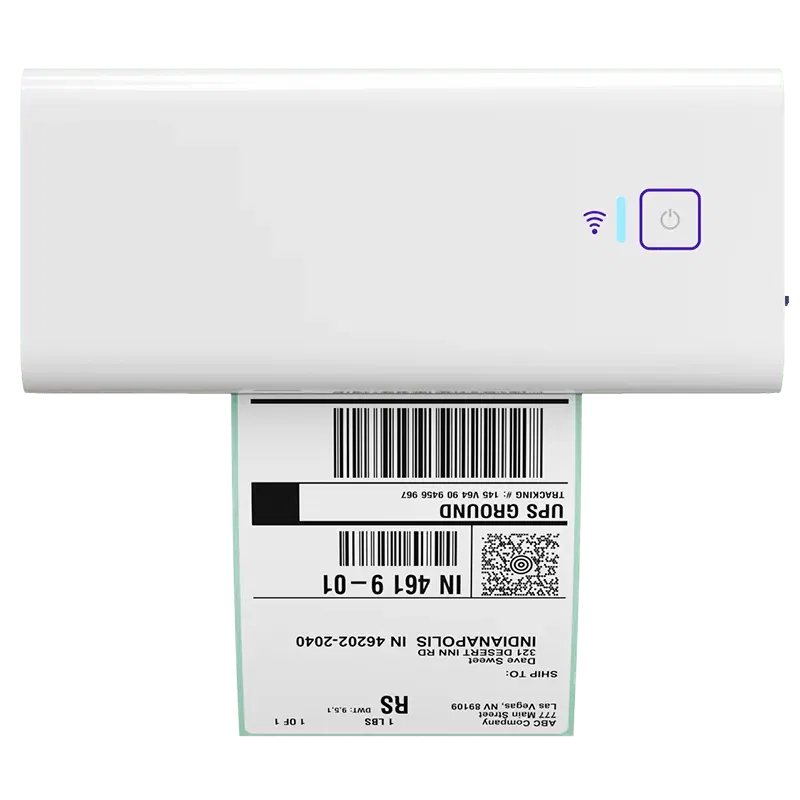
If one-by-one label printing is slowing the team down, the Rollo Wireless Printer can help make that part of the workflow faster, clearer, and easier to repeat. It is a practical fit for teams that want smoother label flow, fewer interruptions, and a shipping setup that feels more organized as order volume grows.
Shipping rules that reduce guesswork
Shipping rules help because they turn repeated choices into a more consistent process. That way, the team does not have to stop and debate the same routine decisions over and over.
| Common Decision | How a Rule Helps |
|---|---|
| Choosing a shipping service | Gives the team a more consistent starting point |
| Handling common package types | Reduces one-off guesswork |
| Managing repeat exceptions | Keeps the response clearer and faster |
| Making routine label decisions | Helps the workflow stay steady under pressure |
The goal is not to remove judgment from every order. It is to reduce the number of routine decisions that do not need fresh debate.
Exception handling that keeps small problems small
A weak setup lets small issues spread. A stronger setup makes those issues easier to spot and easier to contain.
Without clear exception handling:
- One address issue slows down the whole workflow
- A package change creates confusion
- The team has to stop and figure everything out manually
With clearer exception handling:
- Problems are easier to spot early
- The team knows what needs attention first
- Small issues are less likely to turn into larger delays
This is another place where Rollo Ship may help the right team. If your process feels like a mess of tabs and repeated checks, a simpler workflow with clearer label flow and rate visibility can reduce rework without making the operation feel heavier.
How do integrations and dashboards affect shipping accuracy and speed?

Integrations and dashboards cut down on hidden handoffs. When order data, statuses, and shipping decisions live in one visible flow, teams spend less time retyping information, chasing updates, or fixing mismatches between tools. Better visibility usually leads to fewer avoidable mistakes and faster problem-solving.
If your systems do not work well together, your team has to connect them by hand.
Integration depth vs “more integrations”
A long list of integrations does not always mean the setup is better. What matters more is whether the connection actually makes the shipping workflow cleaner and easier to manage.
A better way to judge shipping integrations is to ask:
- Do orders sync cleanly without extra cleanup?
- Do status updates stay current across the workflow?
- Does the integration reduce copy-and-paste work?
- Does it help the team move faster without creating new handoffs?
- Does it remove manual work instead of just adding another connection?
That is why shipping integrations should be judged by how much friction they remove, not by how many logos appear on a product page.
What an order dashboard should actually show
A useful order dashboard should help your team answer the questions that matter most during the day. At a minimum, it should clearly show:
- What is waiting to ship
- What has already shipped
- What is delayed, stuck, or missing information
- What needs attention first
- Which orders have exceptions or unusual issues
If your team still needs several tools to answer those questions, the dashboard is not doing enough.
How visibility cuts manual checks
Visibility reduces manual checks because it makes the workflow easier to trust. When the information is clear, the team spends less time proving the same thing over and over.
That usually creates a chain reaction:
- People can see what is happening faster.
- Fewer updates need to be chased down manually.
- The team spends less time double-checking routine work.
- Problems get caught sooner and fixed with less stress.
That may be one of the biggest benefits of a better shipping setup. It does not just make work faster. It makes work calmer.
When does it make sense to move off platform shipping?

It makes sense to move off platform shipping when convenience starts creating more work. If your team is comparing rates by hand, losing visibility across channels, relying on one carrier habit, or feeling boxed in by a platform workflow, a more centralized shipping setup becomes easier to justify.
This is the point where “good enough for now” starts creating blind spots, more work, and extra cost.
Signs platform shipping is becoming a bottleneck
Platform shipping may be turning into a bottleneck if you notice signs like these:
- The team keeps switching between channels just to understand what is happening
- Rate comparison becomes more manual as order volume grows
- Shipping visibility gets weaker across multiple selling channels
- One platform workflow starts limiting how the business wants to ship
- The process feels built around the platform, not around your operations
When those signs start piling up, the limits are usually becoming clear.
What centralized shipping improves
A centralized setup helps by creating one clearer workflow across multiple channels. That usually makes daily shipping easier to manage and easier to trust.
| Platform Shipping Friction | What Centralized Shipping Can Improve |
|---|---|
| Repeated rate checks | One place to compare shipping options |
| Limited visibility across channels | A clearer view of orders and shipping status |
| Workflow differences from one channel to another | A more consistent shipping process |
| More manual steps as volume grows | A cleaner, more organized daily workflow |
This is one of the clearest places where Rollo Ship fits. If your team is ready for centralized rate comparison, faster label flow, and a cleaner workflow without a huge software jump, it may be the right next step.
When platform shipping may still be enough
Platform shipping may still be enough if:
- Your operation is still simple
- Order volume is steady
- The team is not dealing with much shipping friction
- Visibility is still clear enough to manage daily work confidently
- Rate decisions do not require much manual effort
The key is knowing the difference between “simple” and “starting to break.” Those are not the same thing.
When is a simple multi-carrier setup enough, and when do you need more?

A simple multi-carrier setup is often enough when your biggest problems are rate visibility, label speed, and daily workflow friction. You may need deeper systems only when your operation adds more warehouse complexity, mixed parcel-and-freight coordination, or advanced multi-location needs that lighter tools are not built to handle.
You need to solve the real problem at the right level instead of buying more system than you need.
Best fit for a lighter shipping platform
A lighter setup often makes sense when the main goal is to make daily shipping clearer and easier to manage. It is usually a strong fit when your team needs:
- Better rate comparison without extra steps
- Smoother label creation
- Clearer visibility into daily shipping work
- Fewer manual handoffs between tools
- A more organized workflow without added complexity
That is where Rollo Ship can fit cleanly. It can help smaller teams get shipping workflow relief without turning daily shipping into a big software project.
When WMS or TMS complexity becomes necessary
A heavier system may make more sense when shipping is no longer the only problem. You may need more than a lighter setup if:
- Warehouse workflow is becoming the bigger issue
- Fulfillment operations span more complex processes
- Integration gaps are affecting more than shipping
- The business is coordinating across multiple locations
- Parcel and freight workflows need to work together
In those cases, the right answer may need to go beyond shipping alone.
How to avoid buying too much system too early
A simple way to avoid overbuying is to check what is actually causing the pain:
- Identify the main friction point.
- Ask whether the problem lives inside daily shipping or across a larger operation.
- Choose the setup that removes today’s friction without adding unnecessary overhead.
If the main problem is still rate visibility, label flow, and easier daily decisions, a simpler tool may solve more than a larger rollout.
A practical checklist to evaluate your current shipping setup

Before changing tools, review the workflow you already have. Look at where decisions are made by hand, where data gets entered again, where visibility breaks, which exceptions create rework, and whether rates, labels, and tracking live in one usable flow. That gives you a much clearer next step.
This turns the article into something you can use right away instead of one more thing to read and forget.
Workflow audit checklist
Use this checklist to spot friction in the day-to-day shipping process:
- Team members re-enter order details into more than one tool
- People switch across tabs just to complete one shipment
- One person seems to “hold the workflow together”
- The process changes depending on the day, order type, or who is working
- Routine shipping tasks still depend on memory or workarounds
If you checked several of these, your workflow may be doing too much by hand.
Cost visibility checklist
Use this checklist to see whether your setup gives you clear cost control:
- Your team can compare rates without extra digging
- It is easy to understand why a shipping option was chosen
- Rate decisions still make sense when you look back later
- The workflow helps you spot weak shipping choices early
- Cost problems are visible before they turn into extra work
If these are hard to answer, the workflow may be hiding cost issues until they show up later.
Accuracy and exception checklist
Use this checklist to see how well the setup handles mistakes and special cases:
- Order details are validated before labels are printed
- Label flow feels clear and easy to follow
- Exceptions are easy to spot early
- Small issues do not throw off the whole workflow
- The team does not need constant double-checking to stay accurate
If this checklist points to weak visibility, manual rate decisions, or a clunky label flow, that is often where Rollo Ship becomes a practical next step.
What your answers may be telling you
If most of the friction shows up in rate decisions, label flow, and day-to-day visibility, a simpler shipping tool may be enough to improve the workflow. If the issues go far beyond shipping and into warehouse or multi-location complexity, you may need a bigger operational fix.
Bring rate comparison, label flow, and visibility into one workflow
If your checklist points to weak rate visibility, clunky label flow, or too many manual shipping decisions, Rollo Ship can help simplify the workflow. It is a practical fit for teams that want clearer rate comparison, smoother label creation, and one more organized way to manage shipping as volume grows.

Final Words
A better shipping setup for operations managers should make daily work feel clearer, not more complicated. If your team still relies on manual checks, scattered tools, and shipping choices that create surprise costs, the best next step is usually the one that cuts guesswork, improves visibility, and gives you a workflow you can trust.
Follow Rollo on:
Frequently Asked Questions About What Ops Managers Look for in a Shipping Setup
📌 Q: What should ops managers look for before changing shipping tools?
💭 A: Look first at rate logic, order-to-label flow, integration quality, visibility, and exception handling. A better setup should reduce manual checks and make daily shipping decisions easier to manage.
📌 Q: How do I know if our shipping setup is too manual?
💭 A: If your team relies on memory, extra tabs, repeated data entry, or one-off workarounds, the setup is probably too manual. Those habits usually break down faster as order volume grows.
📌 Q: Do I need better process, better software, or both?
💭 A: Usually both matter, but not equally. Start by finding the workflow decisions that create the most rework, then choose software that supports those decisions more clearly.
📌 Q: When should a growing team move off platform shipping?
💭 A: Move when platform convenience starts creating blind spots, manual rate checks, or channel-by-channel friction. That is often the point where a centralized shipping workflow makes more sense.
📌 Q: Is multi-carrier shipping always necessary?
💭 A: Not always. It becomes more useful when cost visibility, service choice, or channel complexity make single-carrier habits more expensive or less reliable.
📌 Q: What matters more: cheaper-looking rates or workflow clarity?
💭 A: Workflow clarity usually matters more over time. A lower base rate does not help much if the setup still creates mistakes, rework, and surprise adjustments.
📌 Q: What should an order dashboard actually help me do?
💭 A: It should help you see order status, catch exceptions early, and reduce manual follow-up. A useful dashboard improves decisions, not just reporting.
📌 Q: When is a lighter shipping tool enough, and when do I need more?
💭 A: A lighter tool is often enough when your main pain is rate comparison, label speed, and workflow friction. Deeper systems make more sense when warehouse, freight, or multi-location complexity becomes the bigger problem.
📌 Q: Where does Rollo fit naturally in this decision?
💭 A: Rollo fits naturally when a small or midsize team wants clearer rate comparison, faster label workflow, and one more organized shipping flow without jumping straight into heavier operational software.


