
TL;DR: Whatnot shipping vs shipping app comes down to convenience versus control: built-in shipping works well for simple, predictable orders, while outside rate comparison becomes worth it when bundles, weight, or box size make costs less predictable. If you think easy shipping is quietly cutting into margin, focus on which orders actually deserve a second look.
You finish a Whatnot show, start packing orders, and realize some labels feel a lot more expensive than the sale itself should justify. That is when Whatnot shipping vs shipping app stops being a technical question and starts becoming a margin question.
The hard part is that Whatnot’s built-in flow is fast, easy, and usually good enough, until bundles, box size, or shipping costs make the “easy” option less predictable. The goal is not to turn every order into extra work. It is to know which ones deserve a second look.
Once that part is clear, shipping decisions get a lot easier and a lot less surprising.
What You’ll Learn
Whatnot shipping vs third-party shipping apps: what is the real difference?

Whatnot shipping is built for speed inside the platform. Third-party shipping apps are built for more visibility and control. The difference is not just where you print the label. It is whether you want the simplest built-in workflow or a clearer way to compare carrier options on less predictable orders.
What Whatnot shipping is built to do well
Whatnot’s built-in system is designed to keep selling and fulfillment moving. That matters when you are packing orders after a live show and do not want a bunch of extra decisions.
It usually works best when orders are:
- light
- easy to pack
- consistent from show to show
- not very sensitive to small shipping cost changes
What third-party shipping apps add
A third-party shipping app can help when you want to step outside default assumptions and compare carrier options before you make a label decision. That does not mean every order needs a second workflow. It means some orders may benefit from a quick rate comparison before you commit.
These tools usually matter most when you want:
- clearer rate visibility
- more carrier flexibility
- a cleaner way to compare options
- better control over exception orders
Convenience vs control in one quick comparison
| Decision factor | Whatnot shipping | Third-party shipping apps |
|---|---|---|
| Workflow speed | Usually faster inside the platform | May add a quick extra step |
| Rate visibility | More limited to platform logic | Easier to compare options |
| Carrier choice | More limited | Often broader |
| Best fit | Simple, predictable orders | Less predictable orders |
| Main advantage | Convenience | Control |
That is the real frame for this article. It is not about which option is always better. It is about when convenience is helping you and when it may be hiding a shipping cost you should inspect more closely.
When should Whatnot sellers compare rates outside the platform?

Sellers should compare rates outside the platform when an order stops feeling simple once it is packed. Bigger bundles, heavier boxes, awkward shapes, and tighter margins are the main triggers. The goal is not to check every shipment. It is to catch the ones most likely to create preventable cost surprises.
The fastest rule of thumb for deciding when to compare
A quick outside rate check usually makes sense when one or more of these things happen:
- the order has multiple items and the bundle grew fast
- the final packed weight feels higher than expected
- the box size is bulkier than the items looked on screen
- shipping takes a noticeable bite out of profit
- you feel unsure before buying the label
Why checking every order is usually unnecessary
If you try to compare every label, you will probably create the exact workflow headache you were trying to avoid. Most sellers do better with a selective process.
A simple rule is:
- keep the built-in flow for straightforward orders
- compare outside rates for orders that feel less predictable
- only keep the extra step if it repeatedly helps
A one-time shipping surprise vs a repeat pattern
One weird shipment does not always mean your system is wrong. Repeated surprises are a different story.
Look for patterns like:
- similar bundles keep feeling too expensive
- certain product mixes are harder to ship than they look
- low-margin orders keep getting squeezed
- you keep wondering if another label option would have made more sense
That is usually the point where rate comparison becomes a decision tool, not just an extra chore.
Why do bundles, weight, and box size change the decision?

Bundles often look manageable during the show, then become more complicated once everything is packed together. Weight can change, box size can grow, and the real shipment can look very different from the simple item-level picture. That is why bundled orders are often the first ones worth checking more carefully.
Why bundles look simple until packing starts
A buyer may grab a few small items that seem easy to combine. Then you start packing and realize the bundle needs more room, more padding, or a different box than expected.
That is where shipping decisions get tricky. The order looked cheap and simple when it was sold. It may no longer feel that way once it is physically in front of you.
Weight is only part of the story
Sellers often focus on weight first, and that makes sense. But box size and packed weight can change shipping costs in ways that are easy to miss until the order is fully packed.
Other factors can matter too:
- how the items fit together
- whether the order needs a box instead of a mailer
- how much empty space is left after packing
- whether the final package is awkward to handle
The kinds of orders that become less predictable fast
These order types often deserve a closer look:
- mixed-item bundles
- clothing bundles with bulk
- orders with shoes or boxed items
- multi-item sales that need extra padding
- bundles that looked small until everything was stacked together
This is also why official platform help pages can be useful for understanding how built-in bundling works, but they do not always solve the seller’s real question: “Does this particular order still make sense inside the default flow?”
When does Whatnot shipping still make sense?

Whatnot shipping still makes sense when orders stay simple, light, and easy to pack after the show. If your workflow is smooth and shipping costs remain stable enough not to hurt margin, the built-in option may still be the best low-friction choice.
Order types that usually do not need a second check
Many orders are fine inside the default flow, especially when they are:
- single-item orders
- lightweight shipments
- easy-to-pack orders
- repeatable product types
- not very sensitive to small cost changes
When speed matters more than optimization
Sometimes the most efficient choice is the right one, even if it is not the absolute cheapest every time. If you are moving through a high volume of simple orders, speed and consistency can matter more than squeezing every possible dollar out of each label.
Why simple shipping is still valuable
Easy shipping is not a bad thing. It becomes a problem only when simplicity starts hiding a repeat cost issue.
If your current setup is working, you do not need to “fix” it. The smarter move is usually to protect the easy workflow where it still works well.
What are the first signs platform shipping is quietly cutting into your margin?

The first signs are usually small and repeated. Shipping may start taking too much out of lower-margin orders, bundled shipments may feel harder to price mentally, and labels may seem expensive more often than you expected. That pattern matters more than one random overage.
Repeated margin leakage vs one-off overages
A one-off bad shipment can happen in any workflow. A real issue shows up when the same kinds of orders keep producing the same uncomfortable result.
Watch for signs like:
- you keep absorbing shipping pain on similar orders
- bundled sales feel profitable until label time
- simple packing assumptions keep falling apart
- certain product mixes always make you hesitate
When “good enough” starts costing too much
A built-in shipping flow can still feel operationally easy while being financially messy on a subset of orders. That is the trap. The workflow still feels smooth, so the cost problem is easy to miss.
Why low-margin orders feel the problem first
If you already work with thin resale margins, shipping has less room to be “close enough.” Even a modest cost mismatch can change how the sale feels once it is packed and labeled.
That is why sellers with lower-margin inventory often notice the problem sooner than sellers with bigger price cushions.
Which Whatnot orders deserve a second look before you buy the label?

The best orders to double-check are the ones most likely to break simple shipping assumptions. Bigger bundles, awkward packages, heavier final shipments, and margin-sensitive orders are the main candidates. A quick review before label purchase can prevent a lot of avoidable guesswork.
Orders that are usually safe to leave inside Whatnot
These often do not need outside comparison:
- simple single-item shipments
- lightweight orders
- compact bundles
- repeatable inventory with predictable packaging
- orders where shipping is a small part of the total margin picture
Orders that often deserve outside rate comparison
These are stronger candidates for a second look:
- multi-item bundles that grew during the show
- bulky or oddly shaped packages
- heavier final shipments
- mixed orders that need more packing materials
- low-dollar sales where shipping becomes a bigger percentage of profit
A simple pre-label checklist you can actually use
Before you buy the label, ask:
- Did this order get bigger than it looked during the sale?
- Does the final package need a different box or mailer?
- Is the packed shipment heavier than expected?
- Would a rate comparison change the profit picture enough to matter?
- Is this one of the order types that keeps surprising me?
If the answer is yes to a few of those, that is a good moment to compare outside rates.
For sellers who want a cleaner way to handle only those exception orders, Rollo Ship can fit naturally here. The value is not “use another tool for everything.” It is having a clearer way to compare carriers and inspect rates when the order actually calls for it.
Need a Cleaner Way to Compare Rates on the Orders That Matter?
If you want more visibility into shipping costs without turning every order into extra work, Rollo Ship can help. Compare carriers, keep label flow organized, and make smarter shipping decisions on the orders that deserve a second look.

How can you compare rates without slowing down fulfillment?

The easiest way to compare rates is to make it a selective step for exception orders. Keep the built-in flow for simple shipments, then run a quick pre-label check only when bundles, weight, or packaging make the cost feel less predictable. That gives you more control without creating extra chaos.
A simple selective comparison workflow
- Finish the show and group your easy orders first.
- Pack the less predictable orders before buying labels.
- Check the final packed weight and packaging needs.
- Compare outside rates only on those exception orders.
- Use the faster default flow for everything else.
This keeps your batch workflow intact while still giving you cost visibility where it matters most.
What to check after the show but before buying the label
Focus on a few practical details:
- final packed weight
- real box or mailer choice
- how much the order grew from the item-level assumption
- whether speed or lower shipping cost matters more
- whether the order has surprised you before
How to protect batch fulfillment from extra friction
The biggest mistake is turning “rate comparison” into a giant new process. It works better when you treat it like a filter.
Try this mindset:
- default first
- compare only when the order looks risky
- simplify the check as much as possible
- keep notes on which order types cause repeat surprises
This is where Rollo Ship can make sense as workflow relief. If you want clearer rate visibility and a more centralized label flow without rebuilding your entire shipping process, it gives you a practical way to handle the orders that need extra attention.
When does a third-party shipping app become worth it?

A third-party shipping app becomes worth it when shipping decisions need to be more visible and repeatable than the default flow allows. If bundles, packaging, or margin pressure keep creating surprises, an outside app can be a practical upgrade. If your orders stay simple, it may be unnecessary.
Signs you have outgrown a default-only shipping workflow
You may be there if:
- you regularly want a second opinion before buying labels
- carrier flexibility would help on a meaningful number of orders
- bundled shipments keep changing the cost picture
- you want more confidence on exception orders
- shipping surprises are no longer rare
When selective outside-rate checks are enough
Not everyone needs a full outside-shipping mindset. Some sellers just need a cleaner way to handle the small percentage of orders that keep causing friction.
That is often the sweet spot. You keep the easy built-in process for normal orders and use an outside shipping app for the ones that need more scrutiny.
How Rollo Ship fits sellers who want clarity, not complexity
Rollo Ship fits best when your problem is not “I need more software.” It fits when your problem is “I need a cleaner way to compare rates, centralize label decisions, and reduce surprise shipping costs on the orders that keep throwing me off.”
That is a workflow question, not a hype question.
Keep Label Printing Fast, Even When Orders Get Complicated
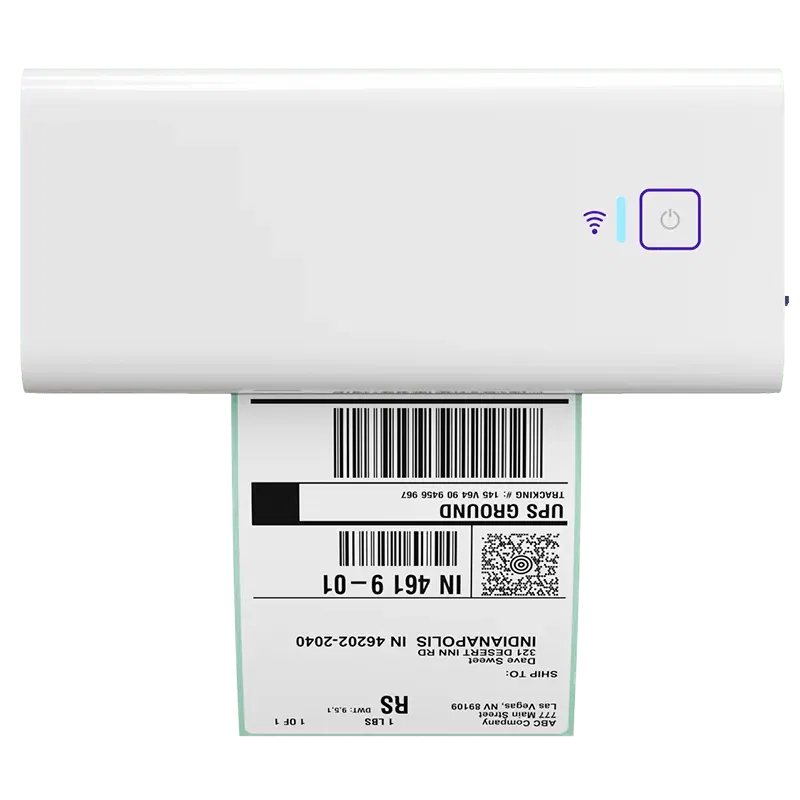
When a few orders need extra attention, your printing setup should still stay simple. The Rollo Wireless Printer helps you move from rate check to label print without adding more friction to an already busy shipping workflow.
Final Words: keep Whatnot’s speed when it works, compare when it counts
You do not need to choose between staying inside Whatnot forever and turning every shipment into a complicated rate-shopping exercise. The smarter move is usually selective. Keep the fast built-in workflow for simple orders, then compare outside rates when bundles, weight, or package size make the default less reliable.
If you want more control on those exception orders without making your whole process harder, Try Rollo Ship free.
Follow Rollo on:
Frequently Asked Questions About Whatnot Shipping vs Third-Party Shipping Apps
📌 Q: Do I need to compare rates on every Whatnot order?
💭 A: No. Most sellers only need to compare rates on orders that feel less predictable, like bigger bundles, heavier final packages, or shipments where shipping takes a bigger share of margin.
📌 Q: How do I know if Whatnot shipping is eating my margin?
💭 A: Look for repeated small losses, not just one frustrating label. If the same types of orders keep feeling less profitable than expected, your workflow may need a selective comparison step.
📌 Q: When does Whatnot shipping still make sense?
💭 A: It usually still makes sense when orders stay light, easy to pack, and predictable after the show. In those cases, the built-in flow may still be the simplest and smartest option.
📌 Q: Why do bundled orders sometimes change the shipping decision?
💭 A: Because the final packed shipment can look very different from the original item-level assumptions. Weight, packaging, and box size can all change the real shipping picture.
📌 Q: What kinds of orders are most worth checking outside rates for?
💭 A: Multi-item bundles, awkward packages, heavier shipments, and lower-margin orders are usually the best candidates for a second look.
📌 Q: Will a third-party shipping app make fulfillment harder?
💭 A: It can if you use it for every shipment. It is usually more manageable when you use it only for the orders most likely to create cost surprises.
📌 Q: Is a third-party shipping app worth it for lower-volume sellers?
💭 A: Sometimes. Order pattern often matters more than pure volume. A lower-volume seller with frequent bundle-heavy orders may benefit sooner than a seller with simple, lightweight inventory.
📌 Q: When does Rollo Ship make sense for a Whatnot seller?
💭 A: It makes sense when you want clearer rate visibility, more carrier flexibility, and a cleaner way to compare only the orders that actually need extra attention.


